

AI for Small Business Profits: Practical Implementation Guide
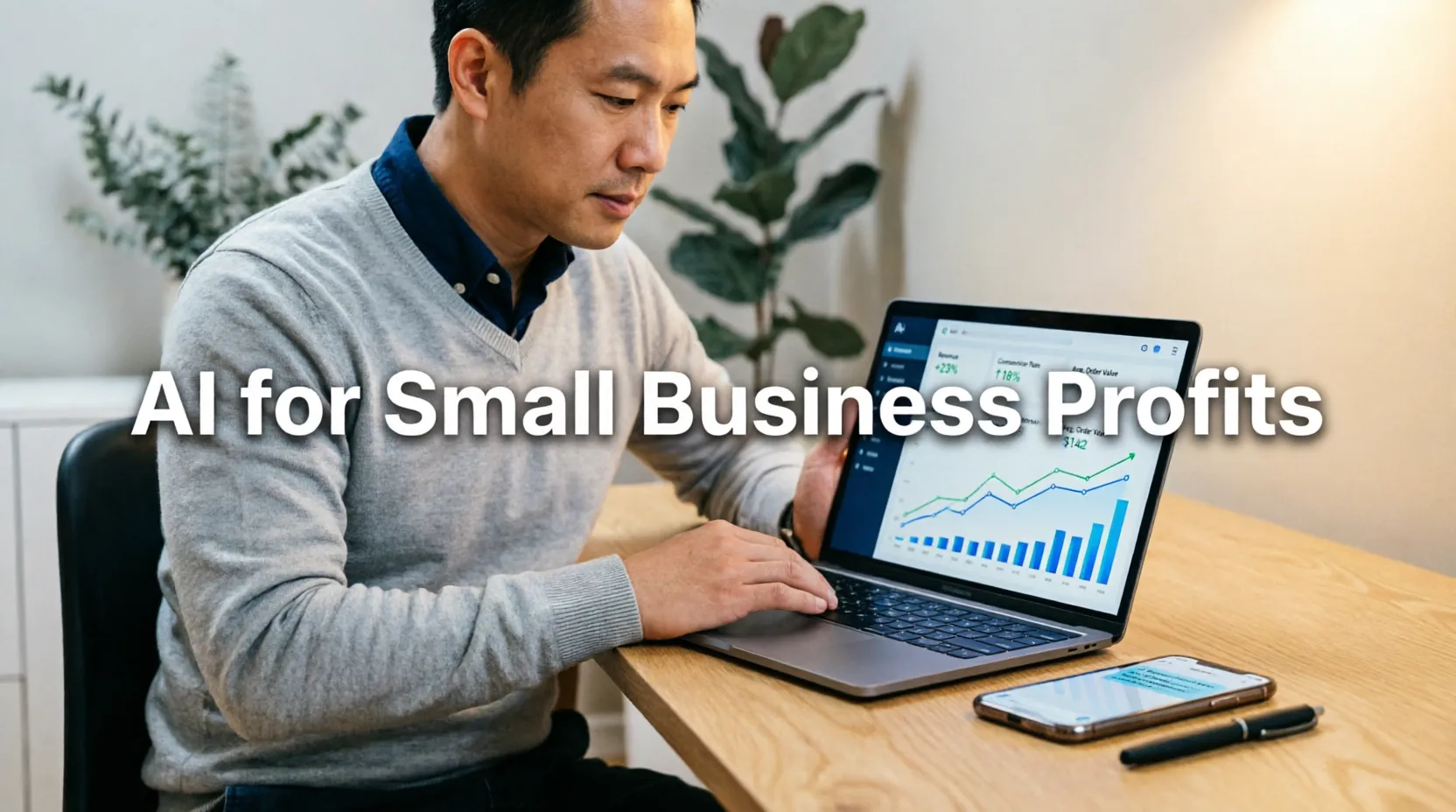
Artificial Intelligence (AI) isn't just for tech giants and Silicon Valley startups anymore. In 2026, AI has become accessible, affordable, and actionable for small businesses of all kinds—from local retail shops and restaurants to consulting firms and e-commerce stores. The question is no longer if small businesses should use AI, but how to use it effectively to increase profits without breaking the bank.
For small business owners wearing multiple hats and managing tight budgets, AI offers a powerful opportunity to automate repetitive tasks, make smarter decisions, personalize customer experiences, and ultimately drive revenue growth. But with so many AI tools, platforms, and promises flooding the market, it's easy to feel overwhelmed or skeptical about where to start.
This practical guide cuts through the hype to deliver actionable strategies for small businesses ready to leverage AI for real profit growth. You'll discover which AI applications deliver the fastest ROI, how to implement AI tools without technical expertise, cost-effective platforms designed for small budgets, and step-by-step frameworks to measure results. Whether you're a solopreneur or managing a team of ten, you'll walk away with a clear roadmap to use AI as a profit multiplier—not just a trendy buzzword.
Why AI Matters for Small Business Profitability
Before diving into tactics, let's clarify why AI deserves a place in your small business strategy.
The Small Business Advantage with AI
Level the Playing Field:
- AI tools give small businesses capabilities once reserved for enterprises
- Automate tasks that previously required hiring additional staff
- Access data insights that inform smarter, faster decisions
Profit Levers AI Can Pull:
| Business Area | AI Application | Potential Profit Impact |
|---|---|---|
| Marketing | Personalized campaigns, ad optimization | 15-30% higher conversion rates |
| Sales | Lead scoring, chatbots, follow-up automation | 20-40% increase in qualified leads |
| Customer Service | 24/7 chat support, ticket routing | 30-50% reduction in support costs |
| Operations | Inventory forecasting, scheduling | 10-25% reduction in waste/overhead |
| Finance | Expense tracking, cash flow prediction | Better cash management, fewer surprises |
Addressing Common Small Business Concerns
"AI is too expensive."
- Many AI tools offer free tiers or affordable monthly plans ($10-50/month)
- ROI often exceeds cost within weeks through time savings or revenue gains
- Start with one high-impact tool rather than overhauling everything
"I don't have technical skills."
- Modern AI tools are designed for non-technical users
- Drag-and-drop interfaces and plain-language prompts replace coding
- Many platforms offer onboarding support and tutorials
"Will AI replace my team?"
- AI augments human work; it doesn't replace judgment, creativity, or relationships
- Free up your team from repetitive tasks to focus on high-value work
- Use AI to enhance employee productivity, not eliminate roles
Getting Started: AI Fundamentals for Small Business Owners
You don't need a computer science degree to use AI effectively. Understanding these basics will help you choose and implement the right tools.
Key AI Concepts Explained Simply
Machine Learning (ML):
- What it is: Software that learns from data to improve over time
- Small business example: Email marketing tool that learns which subject lines get more opens
- Why it matters: Gets smarter the more you use it, without manual reprogramming
Natural Language Processing (NLP):
- What it is: AI that understands and generates human language
- Small business example: Chatbot that answers customer questions in plain English
- Why it matters: Enables conversational automation without complex coding
Predictive Analytics:
- What it is: Using historical data to forecast future outcomes
- Small business example: Inventory system that predicts which products will sell next month
- Why it matters: Helps you make proactive decisions instead of reactive guesses
Automation:
- What it is: Using AI to perform repetitive tasks without human intervention
- Small business example: Automatically sending follow-up emails to leads who downloaded a guide
- Why it matters: Frees up your time for strategic work that drives growth
The AI Implementation Mindset
Start Small, Think Big:
- Identify one specific problem AI could solve
- Test a single tool before expanding
- Measure results and scale what works
Focus on Outcomes, Not Technology:
- Ask "What business result do I want?" not "What AI should I buy?"
- Examples: "Reduce time spent on invoicing" vs. "Get an AI accounting tool"
- Let the desired outcome guide your tool selection
Embrace Iteration:
- AI implementation is a process, not a one-time project
- Expect to refine prompts, adjust settings, and optimize over time
- Document what works to build institutional knowledge
High-Impact AI Applications for Small Business Profits
Not all AI applications deliver equal value. Focus on these high-ROI areas first.
1. Marketing & Customer Acquisition
AI-Powered Content Creation:
- Tools: Jasper, Copy.ai, Claude, ChatGPT
- Applications:
- Generate blog post outlines, social media captions, email copy
- Create multiple ad variations for A/B testing
- Personalize messaging for different customer segments
- Profit Impact:
- Reduce content creation time by 50-70%
- Test more marketing messages to find winners faster
- Scale content output without hiring additional writers
Smart Ad Optimization:
- Tools: Google Ads Smart Bidding, Meta Advantage+, AdCreative.ai
- Applications:
- Automatically adjust bids based on conversion likelihood
- Generate high-performing ad creatives using AI
- Identify best-performing audiences and expand reach
- Profit Impact:
- Lower cost-per-acquisition by 15-30%
- Improve ad ROI through continuous optimization
- Reduce manual campaign management time
Personalization at Scale:
- Tools: Klaviyo, HubSpot AI, Dynamic Yield
- Applications:
- Send personalized product recommendations based on browsing history
- Trigger emails based on specific customer behaviors
- Customize website content for returning visitors
- Profit Impact:
- Increase email click-through rates by 20-40%
- Boost average order value through relevant recommendations
- Improve customer retention with tailored experiences
2. Sales & Lead Conversion
AI Chatbots for Lead Qualification:
- Tools: ManyChat, Landbot, Intercom Fin, Chatbase
- Applications:
- Answer FAQs instantly, 24/7
- Qualify leads by asking targeted questions
- Book appointments or schedule demos automatically
- Profit Impact:
- Capture leads outside business hours
- Reduce sales team time spent on unqualified leads
- Shorten sales cycle with faster response times
Predictive Lead Scoring:
- Tools: HubSpot, Salesforce Einstein, Pipedrive AI
- Applications:
- Score leads based on likelihood to convert
- Prioritize sales outreach to high-value prospects
- Identify patterns in won/lost deals to refine approach
- Profit Impact:
- Increase sales team efficiency by focusing on best prospects
- Improve conversion rates through data-driven prioritization
- Reduce time wasted on low-probability leads
Automated Follow-Up Sequences:
- Tools: Outreach, Salesloft, Lemlist, Mailchimp AI
- Applications:
- Send personalized follow-up emails based on lead behavior
- Adjust messaging based on engagement signals
- Automate multi-channel outreach (email, SMS, social)
- Profit Impact:
- Increase response rates with timely, relevant follow-ups
- Scale outreach without proportional increase in effort
- Recover potentially lost deals through persistent nurturing
3. Customer Service & Retention
24/7 AI Customer Support:
- Tools: Zendesk AI, Gorgias, Tidio, Crisp
- Applications:
- Answer common questions instantly via chat
- Route complex issues to human agents with context
- Provide order status, tracking, and policy information automatically
- Profit Impact:
- Reduce support ticket volume by 30-50%
- Improve customer satisfaction with instant responses
- Lower support staffing costs while maintaining quality
Proactive Retention Alerts:
- Tools: ChurnZero, Vitally, Baremetrics
- Applications:
- Identify customers at risk of churning based on usage patterns
- Trigger personalized retention campaigns automatically
- Alert account managers to intervene with high-value at-risk accounts
- Profit Impact:
- Reduce churn by 10-25% through early intervention
- Increase customer lifetime value through proactive care
- Focus retention efforts where they matter most
Review & Feedback Analysis:
- Tools: ReviewTrackers, Birdeye, MonkeyLearn
- Applications:
- Automatically analyze customer reviews for sentiment and themes
- Identify common complaints or praise to inform improvements
- Generate responses to reviews using AI assistance
- Profit Impact:
- Improve products/services based on actionable feedback
- Enhance online reputation through timely review responses
- Turn feedback into competitive advantages
4. Operations & Efficiency
Inventory & Demand Forecasting:
- Tools: Inventory Planner, Forecastly, NetSuite AI
- Applications:
- Predict which products will sell and in what quantities
- Optimize reorder points to avoid stockouts or overstock
- Account for seasonality, trends, and external factors
- Profit Impact:
- Reduce inventory carrying costs by 15-30%
- Minimize lost sales from stockouts
- Free up cash tied up in excess inventory
Automated Bookkeeping & Financial Insights:
- Tools: QuickBooks AI, Xero, Pilot, Botkeeper
- Applications:
- Automatically categorize transactions and reconcile accounts
- Generate cash flow forecasts and financial reports
- Flag unusual expenses or potential fraud
- Profit Impact:
- Reduce bookkeeping time by 50-80%
- Make better financial decisions with real-time insights
- Avoid costly accounting errors or compliance issues
Smart Scheduling & Resource Allocation:
- Tools: Calendly AI, WhenIWork, Deputy, Resource Guru
- Applications:
- Automate appointment scheduling with client preferences
- Optimize staff scheduling based on demand forecasts
- Allocate resources to highest-priority projects
- Profit Impact:
- Reduce administrative time spent on scheduling
- Improve staff utilization and reduce overtime costs
- Enhance customer experience with convenient booking
Choosing the Right AI Tools for Your Small Business
With hundreds of AI tools available, selection can feel overwhelming. Use this framework to choose wisely.
Tool Selection Criteria
1. Problem-First Approach:
- Start with a specific business problem you want to solve
- Search for tools that address that exact need
- Avoid "shiny object syndrome"—don't adopt AI just because it's trendy
2. Ease of Use:
- Prioritize tools with intuitive interfaces and minimal setup
- Look for platforms offering onboarding support or tutorials
- Test free trials before committing to paid plans
3. Integration Capabilities:
- Choose tools that connect with your existing software (CRM, email, accounting)
- Check for native integrations or Zapier/Make compatibility
- Avoid tools that create data silos or require manual data entry
4. Pricing Transparency:
- Understand the full pricing structure (per user, per feature, usage-based)
- Calculate expected ROI before committing
- Start with entry-level plans and upgrade as value is proven
5. Data Privacy & Security:
- Review the tool's data handling policies
- Ensure compliance with relevant regulations (GDPR, CCPA)
- Confirm data ownership and export capabilities
Recommended AI Tools by Budget
Free or Freemium Options (Great for Getting Started):
| Use Case | Recommended Tools | Best For |
|---|---|---|
| Content Creation | ChatGPT (free tier), Claude, Copy.ai (free plan) | Blog posts, social media, email copy |
| Chatbots | ManyChat (free), Tidio (free), Landbot (free) | Website chat, lead qualification |
| Email Marketing | Mailchimp (free), Brevo (free) | Automated campaigns, segmentation |
| Analytics | Google Analytics 4 (free), Microsoft Clarity (free) | Website insights, user behavior |
| Productivity | Notion AI (limited free), Grammarly (free) | Writing assistance, organization |
Affordable Paid Tools ($10-50/month):
| Use Case | Recommended Tools | Key Benefit |
|---|---|---|
| Advanced Content | Jasper, Copy.ai Pro, Writesonic | Brand voice training, SEO optimization |
| CRM & Sales | HubSpot Starter, Pipedrive, Close | Lead scoring, pipeline automation |
| Customer Support | Gorgias, Zendesk Suite, Crisp | Multi-channel support, AI responses |
| Operations | Zapier, Make, QuickBooks Online | Workflow automation, financial insights |
| Design & Creative | Canva Pro, Adobe Express, Midjourney | AI-generated visuals, brand consistency |
Investment-Level Tools ($50-200/month):
- Best for: Businesses with proven AI ROI ready to scale
- Examples: Salesforce Einstein, Adobe Sensei, enterprise marketing platforms
- Consider when: You have dedicated staff to manage advanced features
Step-by-Step: Implementing AI in Your Small Business
Follow this practical framework to implement AI successfully without overwhelm.
Phase 1: Assessment & Planning (Week 1)
Step 1: Identify High-Impact Opportunities
- List your top 3-5 business challenges (e.g., "too much time on admin," "low email conversion")
- For each, ask: "Could AI help solve or improve this?"
- Prioritize based on potential impact and ease of implementation
Step 2: Research & Shortlist Tools
- Search for tools addressing your prioritized challenges
- Read reviews on G2, Capterra, or Trustpilot
- Sign up for free trials of 2-3 top candidates
Step 3: Define Success Metrics
- What specific outcome will prove this AI investment was worthwhile?
- Examples: "Reduce email drafting time by 50%," "Increase lead conversion by 15%"
- Establish baseline measurements before implementation
Phase 2: Pilot Implementation (Weeks 2-4)
Step 4: Start Small with One Use Case
- Choose one specific task or workflow to automate first
- Example: "Use AI to draft social media captions" vs. "Automate all marketing"
- Limit scope to reduce risk and learning curve
Step 5: Configure & Train the Tool
- Follow onboarding tutorials or support resources
- Input your brand voice, customer data, or business rules as needed
- Test with sample data before going live
Step 6: Run a Controlled Pilot
- Use the AI tool for a defined period (e.g., 2 weeks) on a limited scale
- Document what works, what doesn't, and any unexpected issues
- Gather feedback from team members using the tool
Phase 3: Evaluation & Scaling (Weeks 5-8)
Step 7: Measure Results Against Metrics
- Compare post-implementation metrics to your baseline
- Calculate ROI: (Value gained - Tool cost) / Tool cost
- Assess qualitative factors: ease of use, team adoption, customer feedback
Step 8: Decide: Expand, Adjust, or Pause
- Expand: If ROI is positive, roll out to additional use cases or team members
- Adjust: If results are mixed, refine configuration or provide additional training
- Pause: If ROI is negative, pause and reassess tool selection or implementation approach
Step 9: Document & Institutionalize
- Create simple SOPs (Standard Operating Procedures) for AI tool usage
- Share learnings and best practices with your team
- Schedule regular reviews to optimize usage over time
Measuring AI ROI: Tracking What Matters
Investing in AI without measuring results is like marketing without analytics. Use these frameworks to prove value.
Key Metrics by Business Function
Marketing & Sales:
- Conversion Rate: % of leads that become customers
- Cost Per Acquisition (CPA): Total spend / new customers acquired
- Email Performance: Open rates, click-through rates, revenue per email
- Time Saved: Hours reduced on content creation, campaign setup, reporting
Customer Service:
- Ticket Resolution Time: Average time to resolve customer issues
- First-Contact Resolution: % of issues resolved in first interaction
- Customer Satisfaction (CSAT): Post-interaction survey scores
- Agent Productivity: Tickets handled per agent per day
Operations:
- Process Time: Time to complete key workflows (invoicing, scheduling, etc.)
- Error Rate: Mistakes requiring rework or correction
- Resource Utilization: Staff or inventory usage efficiency
- Cost Savings: Reduced labor, waste, or overhead expenses
Simple ROI Calculation Framework
Formula:
ROI = [(Financial Benefit - AI Investment) / AI Investment] × 100
Example Calculation:
- Scenario: Implementing AI chatbot for customer service
- Investment: $40/month tool cost + 5 hours setup time ($100 value) = $140 initial
- Benefits (monthly):
- Reduce support tickets by 30 hours/month × $25/hour = $750 saved
- Improve customer retention: 2 additional retained customers × $100 LTV = $200
- Total monthly benefit: $950
- Monthly ROI: [($950 - $40) / $40] × 100 = 2,275%
- Payback Period: $140 / ($950 - $40) = ~0.15 months (less than 1 week)
Tracking Tips:
- Use a simple spreadsheet to log costs and benefits monthly
- Include both quantitative (dollars, time) and qualitative (satisfaction, quality) metrics
- Review ROI quarterly to decide whether to continue, expand, or adjust
Common AI Implementation Mistakes (and How to Avoid Them)
Learn from others' missteps to accelerate your own success.
Mistake #1: Trying to Automate Everything at Once
The Problem: Overwhelm, wasted budget, and unclear results.
The Fix:
- Start with one high-impact, low-complexity use case
- Prove value before expanding to additional areas
- Use the "crawl, walk, run" approach to scaling AI
Mistake #2: Ignoring Data Quality
The Problem: AI is only as good as the data it learns from. Poor data leads to poor outputs.
The Fix:
- Audit your data sources before implementing AI tools
- Clean and organize customer, product, or operational data
- Establish ongoing data hygiene practices
Mistake #3: Skipping the Human Element
The Problem: Over-automating can damage customer relationships or employee morale.
The Fix:
- Use AI to augment, not replace, human judgment and empathy
- Keep human oversight for complex, sensitive, or high-stakes decisions
- Communicate AI usage transparently to customers and team
Mistake #4: Not Training Your Team
The Problem: Even the best AI tool fails if people don't know how to use it effectively.
The Fix:
- Provide hands-on training and documentation for AI tools
- Encourage experimentation and share successful use cases
- Designate an "AI champion" to support team adoption
Mistake #5: Expecting Instant Perfection
The Problem: AI requires iteration and refinement; expecting flawless results immediately leads to disappointment.
The Fix:
- Set realistic expectations about learning curves and optimization
- Plan for a pilot period to refine prompts, settings, and workflows
- Celebrate incremental improvements, not just perfect outcomes
Future-Proofing: AI Trends Small Businesses Should Watch
Stay ahead by anticipating where AI is heading in the next 12-24 months.
Emerging Trends with Small Business Relevance
1. Voice-Activated AI Assistants:
- What's coming: More sophisticated voice commands for business tasks
- Small business opportunity: Hands-free operation for scheduling, note-taking, customer queries
- Prepare now: Experiment with voice features in tools you already use
2. Hyper-Personalization Engines:
- What's coming: AI that customizes experiences in real-time for each customer
- Small business opportunity: Compete with larger brands through tailored customer journeys
- Prepare now: Start collecting and organizing customer preference data
3. AI-Powered Video & Audio Creation:
- What's coming: Tools that generate or edit video/audio content from text prompts
- Small business opportunity: Create professional marketing content without production budgets
- Prepare now: Test AI video tools for social media or product demos
4. Predictive Customer Service:
- What's coming: AI that anticipates customer needs before they ask
- Small business opportunity: Proactive support that builds loyalty and reduces churn
- Prepare now: Map common customer journeys to identify proactive intervention points
5. Integrated AI Workflows:
- What's coming: Seamless AI automation across multiple business tools
- Small business opportunity: End-to-end automation without complex technical setup
- Prepare now: Document your key workflows to identify automation opportunities
Frequently Asked Questions
How much should a small business budget for AI tools?
Start small and scale based on ROI: - Getting started: $0-50/month using free tiers and affordable tools - Proving value: $50-200/month for specialized tools with clear ROI - Scaling success: $200-500/month for integrated AI workflows Rule of thumb: If an AI tool saves you 5+ hours/month or generates $200+ in additional revenue, it's likely worth the investment. Track ROI carefully and reinvest profits into additional AI capabilities.
Do I need to hire someone to manage AI tools?
Not necessarily, especially when starting: - Solopreneurs: Most AI tools are designed for self-service use - Small teams: Designate an "AI champion" to learn and share best practices - Growing businesses: Consider a part-time consultant or fractional CTO for strategy Focus first on tools that require minimal management. As your AI usage expands, you can reassess staffing needs based on actual workload.
What if AI gives wrong or inappropriate outputs?
AI isn't perfect—build safeguards into your workflow: - Human review: Always review AI-generated content before publishing or sending - Clear guidelines: Provide AI tools with brand voice, tone, and content boundaries - Feedback loops: Correct AI mistakes to help it learn and improve over time - Escalation paths: Ensure complex or sensitive issues route to human team members Think of AI as a capable intern: powerful but needing supervision and guidance.
How do I get my team on board with AI adoption?
Address concerns and demonstrate value: - Communicate the "why": Explain how AI will make their work easier, not replace them - Start with volunteers: Let early adopters test tools and share success stories - Provide training: Offer hands-on sessions and easy-to-follow documentation - Celebrate wins: Publicly recognize time saved or results achieved through AI Frame AI as a tool to amplify human potential, not a threat to job security.
Is my business data safe with AI tools?
Data security varies by provider—take these precautions: - Review privacy policies: Understand how the tool uses, stores, and protects your data - Check compliance: Ensure tools meet relevant regulations (GDPR, CCPA, HIPAA if applicable) - Limit sensitive data: Avoid inputting highly confidential information into AI tools unless necessary - Use enterprise plans: For sensitive use cases, paid plans often offer stronger data protections When in doubt, start with non-sensitive applications and expand as you build trust in the platform.
Conclusion: Your AI-Powered Profit Journey Starts Now
Artificial Intelligence is no longer a futuristic concept reserved for tech giants. In 2026, AI is a practical, accessible profit multiplier for small businesses willing to take the first step. The tools are affordable, the learning curve is manageable, and the potential returns are substantial.
Key takeaways for using AI to increase small business profits:
- Start with outcomes: Focus on specific business problems AI can solve, not the technology itself
- Begin small: Pilot one high-impact use case before expanding your AI footprint
- Measure rigorously: Track ROI to prove value and guide future investments
- Augment, don't replace: Use AI to enhance human capabilities, not eliminate them
- Iterate continuously: Treat AI implementation as an ongoing optimization process
- Stay curious: Keep learning about emerging AI capabilities relevant to your business
The small businesses that thrive in the AI era won't be those with the biggest budgets or most technical teams. They'll be the ones who start now, learn by doing, and consistently apply AI to create real value for customers and profits for their business.
Your action plan:
- Today: Identify one repetitive task or business challenge AI could help solve
- This week: Research and sign up for a free trial of one relevant AI tool
- Within 2 weeks: Run a small pilot and document initial results
- Within 30 days: Calculate ROI and decide whether to expand, adjust, or pause
You don't need to be a tech expert to leverage AI for profit growth. You just need clarity on your goals, willingness to experiment, and commitment to measuring results. The tools are ready. The opportunity is now. The only question left is: Will you take the first step?
Your more profitable, AI-powered small business starts with a single decision. Make it today.
Here's to working smarter, growing faster, and building the business you envision—with AI as your ally.