

Google Keep for Baby Care: Simple Parent Organization
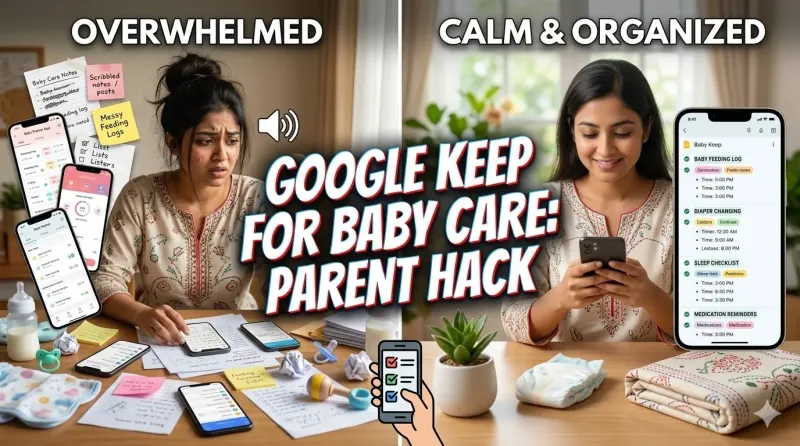
Parenting a baby is one of life's most rewarding experiences, but let's be honest—it's also incredibly overwhelming. Between feeding schedules, diaper changes, doctor's appointments, sleep tracking, and a million other details, it's easy to feel like you're drowning in information. While there are dozens of specialized baby tracking apps on the market, many parents are discovering that a simple, free tool they already have—Google Keep—might be the perfect solution for staying organized without the complexity.
Google Keep, Google's note-taking and organization app, offers a surprisingly powerful platform for managing baby care tasks. It's free, accessible across all your devices, easy to customize, and doesn't require learning a complicated new interface. Whether you're a new parent struggling to remember which side you last nursed on, a busy caregiver coordinating with multiple family members, or simply someone who prefers simple tools over feature-heavy apps, Google Keep can transform how you approach baby care organization.
This comprehensive guide will show you exactly how to harness Google Keep for every aspect of baby care—from tracking feedings and sleep patterns to managing medical information and coordinating with caregivers. You'll discover practical templates, time-saving tips, and real-world strategies that busy parents are using right now to simplify their lives. Let's explore how this free, versatile tool can become your parenting command center.
Why Google Keep Is Perfect for Baby Care Organization
Before diving into the how-to, let's explore why Google Keep stands out as an exceptional tool for parent organization in a sea of specialized baby apps.
Accessibility Across Devices
One of Google Keep's greatest strengths is its seamless synchronization across all your devices. Start a note on your phone during a 3 AM feeding, check it on your tablet during nap time, and share it with your partner on their computer at work. Everything updates in real-time, ensuring that critical baby information is always at your fingertips, regardless of which device you're using.
Key benefit: No more scrambling to find the right device or worrying about syncing issues. Your baby's information is always current and accessible.
Completely Free with No Limitations
Unlike many baby tracking apps that lock essential features behind premium subscriptions, Google Keep is entirely free. There are no paywalls for advanced features, no ads cluttering your interface, and no pressure to upgrade. For new parents already facing significant expenses, this makes Google Keep an attractive, budget-friendly option.
Simple, Intuitive Interface
When you're sleep-deprived and operating on minimal brainpower, the last thing you need is a complicated app with a steep learning curve. Google Keep's clean, straightforward design lets you create notes, checklists, and reminders in seconds. There's no tutorial required—just open the app and start organizing.
Flexible and Customizable
Every baby and family is different. Google Keep doesn't force you into a rigid tracking system. Instead, you can customize notes, labels, and formats to match your unique parenting style and baby's needs. Whether you prefer detailed logs or simple checkmarks, color-coded systems or minimalist lists, Google Keep adapts to you.
Easy Sharing and Collaboration
Parenting is rarely a solo endeavor. Google Keep makes it effortless to share notes with your partner, grandparents, babysitters, or daycare providers. Everyone stays on the same page with real-time updates, reducing miscommunication and ensuring consistent care.
Essential Google Keep Features for Parents
To maximize Google Keep for baby care, familiarize yourself with these key features that make the app particularly useful for parent organization.
Notes and Checklists
Create simple text notes for quick information or convert them to checklists for tasks that need tracking. Checklists are perfect for diaper bag packing, daily routines, or tracking feeding sessions throughout the day.
Pro tip: Tap the checkbox icon to convert any note into a checklist. Checked items automatically move to the bottom, keeping your active tasks visible.
Color-Coding System
Assign different colors to different types of baby care notes for instant visual organization. For example:
- Yellow: Feeding logs
- Blue: Sleep tracking
- Green: Diaper changes
- Pink: Medical information
- Orange: Shopping lists
This visual system lets you find what you need at a glance, even during those foggy, sleep-deprived moments.
Labels for Advanced Organization
Labels work like tags, allowing you to categorize notes beyond color-coding. Create labels like "#Newborn," "#6Months," "#DoctorVisits," or "#Milestones" to filter and find related notes quickly.
Reminders and Alarms
Set time-based or location-based reminders for medication, appointments, or recurring tasks. Google Keep integrates with your phone's notification system, ensuring you never miss important baby care tasks.
Example uses:
- Medication reminders every 6 hours
- Doctor appointment alerts
- Vaccination schedule notifications
- Monthly milestone check-ins
Voice Notes
When your hands are full holding a baby, voice notes are invaluable. Simply tap the microphone icon and speak your note. Google Keep transcribes your words automatically, creating a text record you can edit later.
Photo and Image Attachments
Attach photos to notes for visual tracking. Document rashes for your pediatrician, photograph growth milestones, or snap pictures of diaper bag essentials to create a visual packing list.
Archive and Pin Functions
Pin critical notes (like emergency contacts or feeding schedules) to the top for instant access. Archive completed or outdated notes to keep your active view clutter-free while preserving the information for future reference.
Creating Your Baby Care Tracking System in Google Keep
Now that you understand the features, let's build a comprehensive baby care organization system using Google Keep. These practical templates and strategies can be implemented immediately.
Daily Feeding Tracker
Tracking feedings is essential, especially for newborns. Create a checklist note titled "Today's Feedings" with time slots or simple checkboxes.
Template example:
Note Title: "Feeding Log - [Date]"
Color: Yellow
Content:
- ☐ 6:00 AM - Breast/Bottle - [Amount]
- ☐ 9:00 AM - Breast/Bottle - [Amount]
- ☐ 12:00 PM - Breast/Bottle - [Amount]
- ☐ 3:00 PM - Breast/Bottle - [Amount]
- ☐ 6:00 PM - Breast/Bottle - [Amount]
- ☐ 9:00 PM - Breast/Bottle - [Amount]
Pro tip: Create a new feeding log note each day and archive previous days at week's end. This keeps your current information accessible while maintaining a historical record.
Sleep Schedule Tracker
Baby sleep patterns are crucial for development and parental sanity. Track naps and nighttime sleep to identify patterns and discuss with your pediatrician.
Template example:
Note Title: "Sleep Log - [Date]"
Color: Blue
Content:
- ☐ Night sleep: [Bedtime] - [Wake time]
- ☐ Nap 1: [Start] - [End] ([Duration])
- ☐ Nap 2: [Start] - [End] ([Duration])
- ☐ Nap 3: [Start] - [End] ([Duration])
- Total sleep: [Hours]
Diaper Change Log
While it might seem excessive, tracking diaper changes helps monitor hydration and health, especially for newborns or during illness.
Template example:
Note Title: "Diaper Changes - [Date]"
Color: Green
Content:
- ☐ 7 AM - Wet
- ☐ 9 AM - Dirty
- ☐ 11 AM - Wet
- ☐ 1 PM - Wet
- ☐ 3 PM - Dirty
- Total: [Number] wet, [Number] dirty
Medication and Vitamin Tracker
For babies on medication, vitamins, or supplements, accurate tracking is critical for safety and effectiveness.
Template example:
Note Title: "Medication Schedule"
Color: Red (for importance)
Pinned: Yes
Content:
- ☐ Vitamin D - 400 IU daily - 8 AM
- ☐ [Medication name] - [Dosage] - Every 6 hours
- Last dose: [Time]
- Next dose due: [Time]
Reminder setup: Set recurring reminders for each medication time to ensure nothing is missed.
Doctor Visit Preparation
Prepare for pediatrician appointments by creating a dedicated note with questions, concerns, and information to share.
Template example:
Note Title: "Doctor Visit - [Date]"
Color: Pink
Content:
Questions for Doctor:
- ☐ [Question 1]
- ☐ [Question 2]
- ☐ [Question 3]
Concerns to Discuss:
- Sleep patterns
- Feeding issues
- Development milestones
Notes from Visit:
- [Doctor's recommendations]
- [Next appointment date]
- [Prescriptions]
Growth Milestone Tracker
Celebrate and document your baby's development with a milestone tracker.
Template example:
Note Title: "Baby Milestones"
Color: Purple
Content:
- ☐ First smile - [Date]
- ☐ Rolled over - [Date]
- ☐ Sat up - [Date]
- ☐ First word - [Date]
- ☐ First steps - [Date]
- ☐ [Add custom milestones]
Enhancement: Attach photos to each milestone for a visual memory book.
Diaper Bag Checklist
Never forget essentials again with a master packing list you can reuse for every outing.
Template example:
Note Title: "Diaper Bag Essentials"
Color: Orange
Pinned: Yes
Content:
- ☐ Diapers (6-8)
- ☐ Wipes
- ☐ Changing pad
- ☐ Extra outfit
- ☐ Burp cloths
- ☐ Bottles/formula or nursing cover
- ☐ Pacifiers
- ☐ Baby blanket
- ☐ Diaper cream
- ☐ Hand sanitizer
- ☐ Snacks (if age-appropriate)
- ☐ Toys
Simply uncheck everything before each outing and check items as you pack.
Emergency Information
Keep critical information instantly accessible for caregivers or emergencies.
Template example:
Note Title: "Emergency Contacts and Info"
Color: Red
Pinned: Yes
Content:
Pediatrician: [Name, Phone, Address]
Emergency Contacts:
- Mom: [Phone]
- Dad: [Phone]
- Grandparent: [Phone]
- Neighbor/Friend: [Phone]
Medical Information:
- Blood type: [Type]
- Allergies: [List]
- Medications: [List]
- Insurance: [Provider, Policy #]
Advanced Organization Strategies for Busy Parents
Once you've mastered basic tracking, these advanced strategies will take your Google Keep baby care system to the next level.
Creating a Master Dashboard
Pin your most critical notes to create an at-a-glance dashboard. This might include:
- Today's feeding log
- Medication schedule
- Emergency contacts
- Diaper bag checklist
Pinned notes appear at the top of your Keep home screen, ensuring vital information is always immediately accessible.
Using Labels for Age-Based Organization
Create labels for different developmental stages to keep notes relevant and reduce clutter:
- #Newborn (0-3 months)
- #Infant (3-6 months)
- #Baby (6-12 months)
- #Toddler (12+ months)
As your baby grows, filter notes by label to see what's currently relevant while archiving outdated information.
Collaborative Co-Parenting
Share notes with your partner for seamless coordination:
Setup steps:
- Create a note (e.g., "Daily Baby Log")
- Tap the collaborator icon (person with +)
- Enter your partner's email address
- They'll receive an invitation to collaborate
Both parents can now add to and update the same note in real-time, perfect for tracking feedings during shift changes or updating each other on baby's day.
Sharing with Caregivers
Share specific notes with babysitters, grandparents, or daycare providers:
- Share feeding schedules and preferences
- Provide emergency contact information
- Share daily routines and nap schedules
- Leave specific instructions for the day
This ensures consistency in care and gives caregivers confidence they have the information they need.
Weekly Review and Archive System
Prevent note overload with a weekly maintenance routine:
Every Sunday:
- Review the week's feeding and sleep logs
- Note any patterns or concerns
- Archive daily logs from the past week
- Create fresh tracking notes for the coming week
- Update milestone tracker with any new achievements
This keeps your active notes current while preserving historical data for pediatrician visits or personal records.
Voice Memo Integration
Use voice notes for quick logging when typing isn't practical:
- Record feeding times while nursing
- Voice-memo diaper changes during nighttime changes
- Capture questions for the doctor as they occur to you
- Document milestone moments with voice descriptions
Google Keep transcribes automatically, creating searchable text records without requiring you to type.
Google Keep vs. Dedicated Baby Apps: Pros and Cons
Understanding when Google Keep is the right choice—and when you might need something else—helps you make informed decisions about your parenting tech stack.
Advantages of Google Keep
Cost: Completely free with no premium tiers or locked features.
Simplicity: No complicated setup or steep learning curve. If you can send a text, you can use Google Keep.
Flexibility: Customize your system exactly to your needs rather than conforming to someone else's template.
Integration: Works seamlessly with Google Calendar, Google Assistant, and other Google services you may already use.
No data privacy concerns: Google Keep doesn't sell your data or bombard you with targeted ads like some free baby apps.
Universal access: Works on any device with internet access—phone, tablet, computer, smartwatch.
Limitations to Consider
No automatic timers: Unlike dedicated feeding apps, Google Keep won't automatically track how long a feeding lasted—you'll need to note start and end times manually.
No data visualization: Google Keep won't generate charts or graphs showing sleep trends or feeding patterns over time.
Manual entry required: Everything must be typed or spoken; there's no automatic syncing with smart devices or wearables.
Limited analytics: You won't get insights like "baby sleeps better after 3 PM feedings" without manually reviewing notes.
Hybrid Approach
Many parents find success using both Google Keep and a specialized app:
- Use a baby tracking app for detailed, time-stamped logs during the newborn phase
- Use Google Keep for general organization, checklists, medical information, and milestone tracking
- Transition fully to Google Keep as baby gets older and tracking becomes less intensive
This gives you the best of both worlds: detailed tracking when you need it and flexible organization for everything else.
Tips for Maintaining Your System Long-Term
A great organization system only works if you actually use it consistently. These strategies help make Google Keep baby care tracking sustainable.
Keep It Simple
Resist the urge to track everything. Choose 2-3 key metrics that matter most to you (feeding, sleep, diapers) and focus on those. Over-tracking leads to burnout and abandonment of the system.
Make It Accessible
Add Google Keep to your phone's home screen for one-tap access. The easier it is to open the app, the more likely you are to use it consistently.
Set Reminders to Update
Create recurring reminders to log information at key times throughout the day. This builds the habit and ensures you don't forget to track.
Involve Your Partner
Share the tracking responsibility. When both parents contribute, the system is more sustainable and provides a more complete picture of baby's patterns.
Review and Adjust Monthly
Every month, assess what's working and what isn't. Are you using certain notes regularly? Archive them. Do you need to track something new? Create a note for it. Your system should evolve with your baby's changing needs.
Celebrate Small Wins
Use your milestone tracker to celebrate achievements, no matter how small. This makes the system feel rewarding rather than burdensome.
Frequently Asked Questions
Can I use Google Keep offline?
Yes, Google Keep works offline. You can create and edit notes without an internet connection. Changes will sync automatically once you're back online. This is perfect for tracking baby care during travel or in areas with spotty connectivity.
How do I back up my Google Keep baby care notes?
Google Keep automatically backs up to your Google account in the cloud. For additional security, you can use Google Takeout to download all your Keep notes as files. This ensures your precious baby records are preserved even if you switch devices or accounts.
Is Google Keep secure for storing baby's medical information?
Google Keep uses encryption and is protected by your Google account security. For most families, it's sufficiently secure for basic medical information. However, avoid storing highly sensitive data like Social Security numbers. Use strong passwords and enable two-factor authentication on your Google account for maximum security.
Can I print my Google Keep notes for baby's baby book?
Absolutely! You can print notes directly from Google Keep or copy them into a document for formatting. Many parents use their Keep notes as the foundation for baby books, scrapbooks, or memory journals. The milestone tracker with attached photos makes a particularly nice keepsake.
How many notes can I create in Google Keep?
Google Keep doesn't have a strict limit on the number of notes you can create. You're limited only by your Google account storage (15 GB free, shared across Gmail, Drive, and Photos). For text-based baby care notes, you could create thousands without approaching this limit.
Can I set multiple reminders on one note?
Yes! You can add multiple time-based reminders to a single note. This is perfect for medication schedules or feeding reminders throughout the day. Each reminder will trigger a separate notification at the specified time.
Conclusion: Simple Organization for Complex Parenthood
Parenting doesn't require complicated apps or expensive tools—sometimes the simplest solutions work best. Google Keep offers a powerful yet straightforward way to organize baby care, track important information, and coordinate with caregivers without overwhelming you with features you don't need.
The beauty of Google Keep lies in its flexibility. Whether you're tracking every feeding during those exhausting newborn weeks, coordinating with multiple caregivers, or simply trying to remember which doctor said what, Google Keep adapts to your needs rather than forcing you into a rigid system.
Start small. Create one note today—perhaps your diaper bag checklist or emergency contacts. Use it for a week. Then add another note. Before you know it, you'll have built a personalized baby care organization system that actually works for your life.
Remember: the best organization system is the one you'll actually use. Google Keep's simplicity, accessibility, and flexibility make it an ideal choice for busy parents who need practical solutions, not more complexity. Your baby won't remember whether you used a fancy app or a simple note-taking tool—but you'll remember the peace of mind that came from feeling organized and in control.
Open Google Keep now and create your first baby care note. Your future, less-stressed self will thank you.