

Smart Home and Tech Trends 2026: What’s Worth Buying Right Now
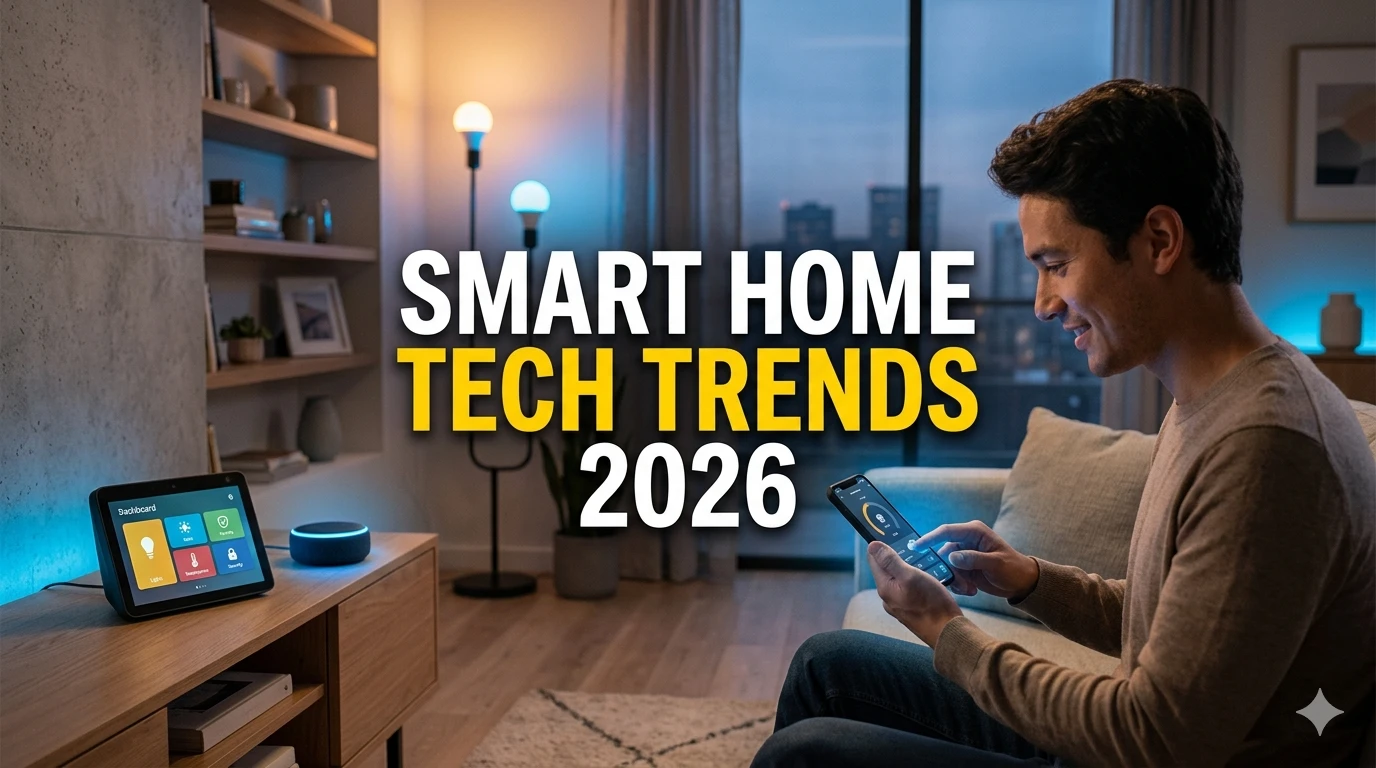
The smart home revolution has arrived—and in 2026, it's more accessible, more intelligent, and more integrated than ever before. What once felt like science fiction—lights that respond to your voice, thermostats that learn your schedule, security systems that recognize family members—has become everyday reality for millions of households. But with hundreds of new devices launching every year and marketing claims that can be hard to verify, how do you separate genuine innovation from gimmicks? How do you invest in technology that actually improves your life, rather than just adding complexity?
This definitive guide cuts through the hype to deliver a clear, practical forecast of smart home and tech trends worth buying in 2026. Drawing insights from industry reports, expert reviews, real-world testing, and consumer feedback, we've identified the devices, platforms, and strategies that deliver genuine value—whether you're building your first smart home or upgrading an existing setup.
You'll discover which categories are mature enough for confident purchasing, which emerging technologies are ready for early adoption, which ecosystems offer the best long-term value, and which products to avoid despite clever marketing. We'll also cover budget considerations, integration strategies, and future-proofing tips to ensure your investments pay off for years to come.
Whether you're a tech enthusiast, a busy parent seeking convenience, a homeowner focused on energy savings, or simply curious about what's possible, this guide will help you make informed, confident decisions about the smart home technology that's worth buying right now.
The Smart Home Landscape in 2026: What's Changed
Before diving into specific recommendations, it's essential to understand how the smart home market has evolved—and what that means for your purchasing decisions.
Key Shifts Defining 2026
From Gimmicks to Genuine Utility:
- Early smart home devices often solved problems that didn't exist; today's products address real pain points: security, energy efficiency, accessibility, and time savings
- Consumer expectations have shifted from "cool tech" to "reliable, seamless integration that just works"
- Value is measured in tangible outcomes: reduced bills, enhanced safety, simplified routines—not just novelty
AI Moves from Buzzword to Backbone:
- Artificial intelligence now powers meaningful features: predictive automation, personalized routines, and contextual awareness
- On-device AI processing improves privacy and responsiveness compared to cloud-dependent systems
- AI helps devices learn your habits and anticipate needs—without requiring constant manual programming
Interoperability Finally Improves:
- The Matter protocol (launched 2022) is gaining traction, enabling devices from different brands to work together more reliably
- Major platforms (Apple Home, Google Home, Amazon Alexa, Samsung SmartThings) now support broader cross-compatibility
- Consumers have more freedom to mix and match devices without being locked into a single ecosystem
Privacy and Security Take Center Stage:
- After high-profile breaches and data concerns, manufacturers now prioritize local processing, encryption, and transparent data policies
- Consumers increasingly demand clear privacy controls and the ability to use devices without constant cloud connectivity
- Security features like end-to-end encryption and two-factor authentication are becoming standard, not optional
Sustainability Drives Innovation:
- Energy monitoring and optimization are now core features of many smart home products
- Devices increasingly use recycled materials, modular designs for repairability, and low-power operation
- Smart home technology is positioned not just as convenience, but as a tool for reducing household carbon footprints
What's Worth Buying: Smart Home Categories Ready for Prime Time
Not all smart home categories are created equal. Some have matured to the point where they deliver reliable, valuable experiences; others remain niche or experimental. Here's where to focus your investment in 2026.
Category #1: Smart Lighting—The Gateway to Smart Homes
Why It's Worth Buying: Smart lighting offers immediate, tangible benefits with minimal complexity: energy savings, customizable ambiance, enhanced security, and seamless integration with other devices.
Key Features to Look For:
- Matter compatibility: Ensures works with Apple, Google, Amazon, and other platforms
- Local control: Functions even if internet goes down; faster response times
- Tunable white + color: Adjust color temperature for circadian rhythm support; add color for ambiance
- Energy monitoring: Track usage to identify savings opportunities
- Easy installation: Screw-in bulbs or plug-in modules requiring no wiring expertise
Top Picks by Use Case:
| Use Case | Recommended Type | Why It Works |
|---|---|---|
| Whole-home automation | Matter-compatible smart bulbs (Philips Hue, Nanoleaf, or budget options like Wyze) | Reliable, scalable, works across ecosystems |
| Renters or temporary setups | Smart plugs + existing lamps | No installation required; portable and affordable |
| Circadian health focus | Tunable white bulbs with scheduling | Automatically adjusts color temperature to support sleep/wake cycles |
| Security enhancement | Smart bulbs with away-mode scheduling | Simulates occupancy when traveling; deters break-ins |
Budget Guidance:
- Entry-level ($10-20/bulb): Wyze, Merkury, or Kasa smart bulbs offer solid basics
- Mid-range ($20-40/bulb): Philips Hue, Nanoleaf, or LIFX add reliability, color, and advanced features
- Premium ($40+/bulb): Only consider if you need specific professional features; diminishing returns for most users
Pro Tip: Start with one room or zone. Master the basics before expanding. Smart lighting is most powerful when integrated with routines (e.g., "Good Morning" scene that gradually brightens lights).
Category #2: Smart Thermostats—Energy Savings That Pay for Themselves
Why It's Worth Buying: Smart thermostats consistently deliver ROI through energy savings—often paying for themselves within 1-2 years—while adding convenience and comfort.
Key Features to Look For:
- Learning capability: Adapts to your schedule and preferences automatically
- Remote control + geofencing: Adjust temperature from anywhere; auto-adjusts when you leave/return
- Energy reports: Clear insights into usage patterns and savings opportunities
- HVAC compatibility: Works with your existing heating/cooling system (check before buying)
- Local processing: Maintains core functions even during internet outages
Top Recommendations:
- Best Overall: Google Nest Learning Thermostat—excellent learning algorithm, sleek design, strong ecosystem integration
- Best Value: Ecobee Smart Thermostat Premium—includes room sensors, air quality monitoring, and competitive pricing
- Best for Apple Users: Ecobee or compatible Matter thermostats that integrate seamlessly with HomeKit
- Budget Pick: Amazon Smart Thermostat—affordable, reliable, works with Alexa and Matter
Installation Considerations:
- Most smart thermostats require a C-wire (common wire) for power; check your system first
- If no C-wire, look for models with power-extender kits or battery backup
- Professional installation ($100-200) is often worth it for complex systems or peace of mind
Maximizing Savings:
- Enable geofencing to avoid heating/cooling an empty home
- Use room sensors to focus conditioning on occupied spaces
- Review energy reports monthly to identify further optimization opportunities
- Combine with smart vents or zoning systems for advanced control (if compatible)
Category #3: Smart Security—Peace of Mind That Actually Works
Why It's Worth Buying: Modern smart security systems offer proactive protection, remote monitoring, and integration with other devices—without the complexity or cost of traditional systems.
Key Components to Consider:
- Video Doorbells:
- Look for: Person/package detection, local storage options, two-way audio, weather resistance
- Top picks: Ring Video Doorbell Pro 2 (feature-rich), Eufy Video Doorbell (local storage focus), Google Nest Doorbell (ecosystem integration)
- Indoor/Outdoor Cameras:
- Look for: AI-powered person/vehicle detection, privacy shutters, local storage, weatherproofing
- Top picks: Arlo Pro 5 (versatile), Wyze Cam v4 (budget), Google Nest Cam (ecosystem)
- Smart Locks:
- Look for: Multiple unlock methods (app, code, fingerprint), auto-lock, activity logs, backup power
- Top picks: August Wi-Fi Smart Lock (easy retrofit), Yale Assure Lock 2 (versatile), Schlage Encode Plus (Apple Home Key support)
- Alarm Systems:
- Look for: Professional monitoring options, cellular backup, easy DIY installation, smart home integration
- Top picks: SimpliSafe (flexible), Ring Alarm (ecosystem), Abode (privacy-focused)
Privacy and Security Best Practices:
- Enable two-factor authentication on all accounts
- Choose devices with local storage options or end-to-end encryption
- Regularly update firmware to patch security vulnerabilities
- Review privacy settings: disable unnecessary data collection, limit cloud retention
- Use strong, unique passwords for each device/account
Integration Strategy:
- Connect cameras to smart lights for "deterrence scenes" (lights flash when motion detected)
- Link doorbell to indoor displays or smart speakers for instant alerts
- Integrate locks with geofencing for auto-unlock when arriving home
- Create routines: "Away Mode" arms security, adjusts thermostat, and simulates occupancy
Category #4: Voice Assistants and Smart Displays—The Command Center
Why It's Worth Buying: A well-chosen voice assistant or smart display serves as the intuitive interface for your entire smart home—making control effortless and enabling powerful automation.
Platform Comparison:
| Platform | Best For | Key Strengths | Considerations |
|---|---|---|---|
| Amazon Alexa | Broad device compatibility, shopping integration | Largest device ecosystem, robust routines, strong third-party support | Privacy concerns for some; interface can feel cluttered |
| Google Assistant | Android users, search/AI capabilities | Superior natural language processing, seamless Google service integration, strong AI features | Smaller smart home device ecosystem than Alexa |
| Apple HomeKit/Siri | Apple ecosystem users, privacy focus | Strong privacy protections, seamless Apple device integration, Matter support | Smaller device selection; requires Apple devices for full features |
| Samsung SmartThings | Samsung appliance owners, advanced automation | Powerful automation engine, broad protocol support (Zigbee, Z-Wave, Matter) | Steeper learning curve; interface less polished than competitors |
Smart Display Recommendations:
- Best Overall: Google Nest Hub (2nd gen)—excellent display, sleep sensing, seamless Google integration
- Best for Apple Users: iPad on a stand + HomePod mini—flexible, powerful, privacy-focused
- Best Budget: Amazon Echo Show 5—compact, affordable, solid Alexa integration
- Best for Kitchen: Amazon Echo Show 8 or Google Nest Hub Max—larger screens ideal for recipes, video calls
Setup Tips for Maximum Value:
- Place displays in high-traffic areas: kitchen, bedroom, entryway
- Create customized dashboards showing your most-used controls
- Enable voice match for personalized responses in multi-user households
- Use displays for video calls, recipes, and photo frames—not just smart home control
Category #5: Smart Plugs and Sensors—The Invisible Enablers
Why They're Worth Buying: Often overlooked, smart plugs and sensors are affordable, versatile tools that unlock automation for existing devices and provide valuable home insights.
Smart Plugs: The Ultimate Adapter
- Use Cases:
- Automate lamps, fans, or holiday lights
- Monitor energy usage of individual appliances
- Create "away mode" routines that randomly turn devices on/off
- Schedule devices that lack built-in timers (coffee makers, space heaters)
- What to Look For: Matter support, energy monitoring, compact design (doesn't block adjacent outlets), local control
- Top Picks: Kasa Smart Plug (reliable, affordable), Eve Energy (Apple-focused, energy tracking), Wyze Plug (budget)
Smart Sensors: The Eyes and Ears of Your Home
- Essential Sensor Types:
- Motion sensors: Trigger lights, cameras, or alerts; useful for automation and security
- Door/window sensors: Monitor entry points for security or automation triggers
- Water leak sensors: Alert to leaks before major damage occurs; often include temperature/humidity monitoring
- Temperature/humidity sensors: Optimize HVAC, prevent mold, protect sensitive items
- What to Look For: Long battery life, reliable connectivity, Matter support, easy placement
- Top Picks: Aqara sensors (broad compatibility, affordable), Eve sensors (Apple-focused, premium), Samsung SmartThings sensors (ecosystem integration)
Automation Ideas:
- Motion sensor + smart lights: Lights turn on when you enter a room at night
- Door sensor + thermostat: Adjust temperature when doors/windows are open
- Water sensor + smart valve: Auto-shutoff water supply if leak detected
- Temperature sensor + fan: Auto-activate ventilation when humidity rises
Emerging Technologies: Worth Watching vs. Worth Buying
Not every new technology is ready for mainstream adoption. Here's how to evaluate emerging smart home tech in 2026.
Worth Buying Now: Mature Innovations
Smart Blinds and Shades:
- Why now: Reliable motors, good app control, meaningful energy savings through automated light/heat management
- Top picks: IKEA FYRTUR (budget), Lutron Serena (premium), SwitchBot Curtain (retrofit existing blinds)
- Best for: Home offices, bedrooms, sun-exposed rooms where light/heat control matters
Smart Water Valves and Leak Detectors:
- Why now: Mature sensor technology, reliable auto-shutoff, potential to prevent thousands in water damage
- Top picks: Moen Flo Smart Water Monitor (comprehensive), Phyn Plus (AI leak detection), Govee Water Sensor (budget)
- Best for: Homes with valuable finishes, vacation properties, or anyone wanting proactive leak protection
Smart Air Quality Monitors:
- Why now: Improved sensor accuracy, meaningful health insights, integration with air purifiers/HVAC
- Top picks: Airthings View Plus (comprehensive), Awair Element (design-focused), Temtop M10 (budget)
- Best for: Allergy sufferers, urban dwellers, homes with new renovations, health-conscious households
Worth Watching: Promising but Not Yet Essential
Robot Vacuums with Advanced AI:
- Promise: Better obstacle avoidance, room recognition, and autonomous emptying
- Reality check: Still struggle with complex environments; high cost for marginal gains over mid-range models
- Recommendation: Wait for next-gen models or stick with proven mid-range options (Roborock, iRobot)
Smart Mirrors and Displays:
- Promise: Integrated displays for weather, calendar, health metrics in bathroom/bedroom
- Reality check: High cost, limited use cases, privacy concerns for camera-equipped models
- Recommendation: Interesting but not essential; consider a tablet on a stand as a lower-cost alternative
Whole-Home Energy Management Systems:
- Promise: Comprehensive monitoring and optimization of all home energy use
- Reality check: Complex installation, high cost, benefits may not justify expense for average households
- Recommendation: Start with smart thermostat + smart plugs; upgrade to whole-home systems only if you have solar, EVs, or high energy costs
Approach with Caution: Hype vs. Reality
Smart Appliances (Unless Replacing Anyway):
- The hype: Fridges that order groceries, ovens that cook via app
- The reality: Smart features often add cost without meaningful utility; appliances have long lifespans, locking you into potentially outdated tech
- Smart approach: Buy appliances based on performance, reliability, and energy efficiency; add smart plugs or sensors if needed
Overly Niche Gadgets:
- Examples: Smart toothbrushes, connected scales, IoT pet feeders with excessive features
- The risk: Single-purpose devices that may become obsolete or unsupported quickly
- Smart approach: Prioritize multi-purpose devices and platforms with strong long-term support
Choosing Your Ecosystem: Platform Strategy for Long-Term Value
Your choice of smart home platform has lasting implications for compatibility, convenience, and future upgrades. Here's how to choose wisely.
Key Decision Factors
1. Existing Device Ecosystem:
- Apple users: HomeKit/Siri offers seamless integration and strong privacy
- Android/Google users: Google Home provides superior AI and search integration
- Alexa users: Largest device selection and robust third-party support
- Mixed ecosystem: Prioritize Matter-compatible devices for maximum flexibility
2. Privacy Priorities:
- High privacy focus: Apple HomeKit, local-processing devices, platforms with clear data policies
- Convenience focus: Google or Alexa may offer more features with more data collection
- Hybrid approach: Use local processing for sensitive devices (cameras, locks) and cloud for less sensitive ones
3. Technical Comfort Level:
- Beginner: Choose platforms with intuitive apps and strong customer support (Google, Amazon)
- Advanced: Consider platforms with powerful automation engines (SmartThings, Home Assistant)
- DIY enthusiasts: Open platforms like Home Assistant offer maximum control but require technical skill
4. Long-Term Vision:
- Planning to expand significantly? Prioritize platforms with broad device support and active development
- Prefer simplicity? Choose a single ecosystem and stick with it for consistency
- Want maximum flexibility? Focus on Matter-compatible devices that work across platforms
Recommended Ecosystem Strategies
Strategy A: The Apple-Centric Approach
- Best for: iPhone/Mac/iPad users who prioritize privacy and seamless integration
- Core: HomePod mini or Apple TV as hub; HomeKit-compatible devices
- Strengths: Privacy, reliability, elegant interface, strong automation with Shortcuts
- Limitations: Smaller device selection; requires Apple devices for full features
- Pro tip: Prioritize Matter-compatible devices to expand options beyond HomeKit-native products
Strategy B: The Google Power User
- Best for: Android users, Google service subscribers, AI enthusiasts
- Core: Nest Hub or Nest Audio as hub; Google Assistant-enabled devices
- Strengths: Superior voice recognition, powerful AI features, seamless Google service integration
- Limitations: Privacy considerations; smaller smart home device selection than Alexa
- Pro tip: Leverage Google's AI for predictive routines and contextual automation
Strategy C: The Alexa Ecosystem Builder
- Best for: Users who want maximum device choice and robust third-party support
- Core: Echo Show or Echo Studio as hub; Alexa-compatible devices
- Strengths: Largest device ecosystem, powerful routines, strong shopping integration
- Limitations: Interface can feel cluttered; privacy concerns for some users
- Pro tip: Use Alexa Guard for security features and Routines for complex automation
Strategy D: The Matter-First Flexible Approach
- Best for: Users who want maximum flexibility and future-proofing
- Core: Any Matter-compatible hub (Apple TV, Google Nest, Amazon Echo, SmartThings Hub)
- Strengths: Mix and match devices across brands; avoid vendor lock-in; future-ready
- Limitations: Matter adoption still growing; some advanced features may be platform-specific
- Pro tip: Start with Matter-compatible devices even if using a single platform today—keeps options open
Budgeting Smart: Getting Maximum Value at Every Price Point
Smart home technology spans a wide price range. Here's how to allocate your budget for maximum impact.
Budget Framework: Tiered Investment Strategy
Tier 1: Foundation ($100-300)
- Priority: Smart lighting + smart plug + voice assistant
- Impact: Immediate convenience, energy savings, and automation foundation
- Example setup: Wyze bulbs ($10/each x 4 = $40) + Kasa smart plug ($15) + Echo Dot ($50) + installation/time = ~$150
- ROI: Energy savings + convenience often justify cost within months
Tier 2: Enhancement ($300-800)
- Priority: Smart thermostat + security basics + sensors
- Impact: Significant energy savings, enhanced security, deeper automation
- Example setup: Amazon Smart Thermostat ($80) + Ring Doorbell ($100) + Aqara sensors ($25 x 3 = $75) + Echo Show 5 ($90) = ~$345
- ROI: Energy savings + security value often pay for setup within 1-2 years
Tier 3: Advanced ($800-2000+)
- Priority: Comprehensive security, whole-home automation, premium devices
- Impact: Maximum convenience, security, and energy optimization
- Example setup: Nest Learning Thermostat ($250) + Arlo camera system ($300) + smart locks ($200) + premium lighting ($300) + hub/display ($150) = ~$1,200
- ROI: Long-term savings + property value + peace of mind justify investment for many homeowners
Money-Saving Strategies
Start Small, Scale Smart:
- Begin with one room or use case; expand as you learn what works for your household
- Avoid buying a full ecosystem upfront; test compatibility and value first
- Take advantage of holiday sales, bundle deals, and manufacturer promotions
Prioritize High-ROI Categories:
- Smart thermostats typically offer the fastest ROI through energy savings
- Smart lighting pays for itself through reduced electricity use and longer bulb life
- Security devices provide tangible value through protection and potential insurance discounts
Consider Refurbished or Previous-Gen Models:
- Many manufacturers offer certified refurbished devices at 20-40% discounts
- Previous-generation models often retain 90% of functionality at lower cost
- Check warranty coverage and return policies when buying refurbished
Leverage Utility Rebates:
- Many utility companies offer rebates for smart thermostats, energy monitors, or efficient devices
- Check your provider's website before purchasing; rebates can cover 20-50% of device cost
- Some utilities offer free or discounted smart home devices as part of energy-saving programs
Integration and Automation: Making Your Smart Home Actually Smart
Devices alone don't create a smart home—thoughtful integration and automation do. Here's how to unlock the real value.
Automation Principles That Actually Work
Principle #1: Solve Real Problems, Not Imaginary Ones
- Focus automation on genuine pain points: forgetting to turn off lights, adjusting thermostat manually, missing deliveries
- Avoid over-automating: too many rules create complexity and maintenance burden
- Test automation in real life: does it actually save time or improve outcomes?
Principle #2: Start Simple, Then Layer Complexity
- Begin with basic routines: "Good Morning," "Away," "Bedtime"
- Add conditional logic only when needed: "If motion detected after sunset, turn on lights"
- Document your automations: keep notes on what each routine does for future troubleshooting
Principle #3: Build in Redundancy and Manual Overrides
- Ensure critical functions (lights, locks) work even if internet or hub fails
- Provide easy manual controls alongside automation: physical switches, app controls, voice commands
- Test failure scenarios: what happens if Wi-Fi goes down? If a device battery dies?
High-Value Automation Ideas for 2026
Energy Optimization:
- "Away Mode": When last person leaves, adjust thermostat, turn off lights, arm security
- "Sleep Mode": Dim lights, lock doors, adjust thermostat, enable do-not-disturb on devices
- "Peak Hours": Automatically reduce non-essential energy use during high-cost utility periods
Convenience and Safety:
- "Welcome Home": Unlock door, turn on entry lights, adjust thermostat when arriving
- "Morning Routine": Gradual light wake-up, coffee maker starts, weather/news briefing
- "Safety Check": If water leak detected, shut off water supply and send alert
Accessibility and Inclusion:
- Voice control for users with mobility challenges
- Automated lighting for visual impairment support
- Customizable alerts for hearing-impaired users (visual notifications)
Tools for Advanced Automation
- Platform-native routines: Alexa Routines, Google Home Routines, Apple Shortcuts—good for most users
- IFTTT/Zapier: Connect devices across platforms; useful for specific integrations
- Home Assistant: Open-source platform for advanced users; maximum control but requires technical skill
- Node-RED: Visual programming for complex automation logic; powerful but steep learning curve
Recommendation: Start with platform-native routines. Only explore advanced tools if you have specific needs they address and the technical comfort to maintain them.
Future-Proofing Your Smart Home Investment
Technology evolves rapidly. These strategies help ensure your smart home remains valuable and compatible for years to come.
Buying for Longevity: Key Criteria
1. Prioritize Open Standards:
- Choose Matter-compatible devices when possible—ensures broad, long-term compatibility
- Prefer devices using common protocols (Wi-Fi, Zigbee, Z-Wave) over proprietary systems
- Avoid devices that require a specific hub unless that hub has strong long-term support
2. Evaluate Manufacturer Commitment:
- Research company's track record: do they provide long-term software updates?
- Check support policies: how long will security patches and feature updates be provided?
- Prefer established brands with clear product roadmaps over fly-by-night startups
3. Design for Flexibility:
- Choose modular systems that allow adding components over time
- Avoid all-in-one solutions that lock you into a single vendor's ecosystem
- Keep wiring and placement flexible to accommodate future upgrades
Update and Maintenance Best Practices
- Enable automatic updates: Critical for security and new features
- Review device health quarterly: Check battery levels, connectivity, firmware status
- Document your setup: Keep a simple inventory of devices, accounts, and automation rules
- Plan for obsolescence: Budget for replacing devices every 3-5 years as technology advances
When to Upgrade vs. When to Wait
Upgrade Now If:
- Current device lacks critical security updates
- New version offers meaningful functionality you'll actually use
- Compatibility issues prevent integration with newer devices
- Energy savings or convenience gains justify the cost
Wait If:
- Current device meets your needs reliably
- New version offers marginal improvements at high cost
- Technology is still maturing (e.g., early-stage AI features)
- You're waiting for Matter support to expand across more devices
Frequently Asked Questions
What's the single best smart home device to buy first?
For most people: a smart thermostat or smart lighting kit. - Smart thermostat: Highest ROI through energy savings; immediate comfort benefits - Smart lighting: Low entry cost; instant convenience; easy to expand - Alternative: Smart plug + voice assistant for maximum flexibility at minimal cost Choose based on your biggest pain point: high energy bills → thermostat; forgetting lights → lighting; wanting voice control → voice assistant + plug.
How do I know if a smart home device is secure?
Look for these security indicators: - Regular updates: Manufacturer provides frequent firmware/security updates - Local processing: Sensitive functions work without cloud dependency - Encryption: End-to-end encryption for video, audio, and control signals - Privacy controls: Clear settings to limit data collection and sharing - Reputation: Research brand's security track record and responsiveness to vulnerabilities Avoid devices with: no update policy, unclear privacy policies, or reliance on obscure cloud services.
Can I mix devices from different brands and ecosystems?
Yes—increasingly so, thanks to Matter. - Matter-compatible devices: Work across Apple, Google, Amazon, and other platforms - Hub-based systems: SmartThings, Home Assistant can bridge different protocols - Cloud integrations: IFTTT/Zapier connect services across ecosystems Strategy: Prioritize Matter devices for new purchases; use hubs or integrations for existing non-Matter devices.
How much can I realistically save on energy bills with smart home tech?
Typical savings based on device category: - Smart thermostat: 10-15% on heating/cooling costs ($100-200/year average) - Smart lighting: 30-50% reduction in lighting energy use ($30-80/year) - Smart plugs + monitoring: Identify and eliminate "vampire power" ($20-50/year) - Whole-home optimization: Up to 20-30% total energy reduction with comprehensive setup Note: Savings vary by climate, usage patterns, and utility rates. Use energy monitoring features to track your actual results.
What if I'm not tech-savvy? Can I still benefit from smart home tech?
Absolutely. Modern smart home tech is designed for accessibility: - Start simple: Voice control and basic routines require minimal setup - Choose user-friendly platforms: Google Home and Alexa have intuitive apps and voice setup - Use pre-built routines: Many devices offer one-tap setup for common automations - Leverage support: Many brands offer setup assistance via chat, phone, or video Pro tip: Ask a tech-comfortable friend to help with initial setup, then maintain with simple voice/app controls.
Conclusion: Smart Investing in Your Smarter Home
The smart home landscape in 2026 offers unprecedented opportunity—but also unprecedented choice. The key to success isn't buying the most devices or the newest technology. It's making intentional, informed investments that align with your values, solve real problems, and integrate seamlessly into your life.
Key takeaways for smart home success in 2026:
- Start with purpose: Buy technology to solve specific problems, not just because it's "smart"
- Prioritize interoperability: Choose Matter-compatible devices for maximum flexibility and future-proofing
- Focus on high-ROI categories: Thermostats, lighting, and security offer the clearest value
- Embrace automation thoughtfully: Solve real problems with simple, reliable routines
- Protect your privacy: Choose devices with strong security, local processing, and transparent policies
- Plan for longevity: Buy from committed manufacturers; design for flexibility and upgrades
- Remember the human element: Technology should simplify life, not complicate it
The most successful smart homes aren't those with the most gadgets—they're those where technology quietly enhances daily life, saves time and money, and provides peace of mind without demanding constant attention.
Your action plan:
- This week: Identify one pain point in your home that smart technology could solve
- Next week: Research 2-3 devices that address that need; read independent reviews
- Within a month: Purchase and install your first device; master its basic functions
- Ongoing: Expand thoughtfully, integrate intentionally, and enjoy the benefits of a home that works for you
Technology is a tool. Your home is your sanctuary. In 2026, you have the power to make them work together beautifully.
Build wisely. Live comfortably. Automate intentionally.
Welcome to your smarter, simpler, more sustainable home.