

Free Wi-Fi Banking Risks: Protect Your Money Now
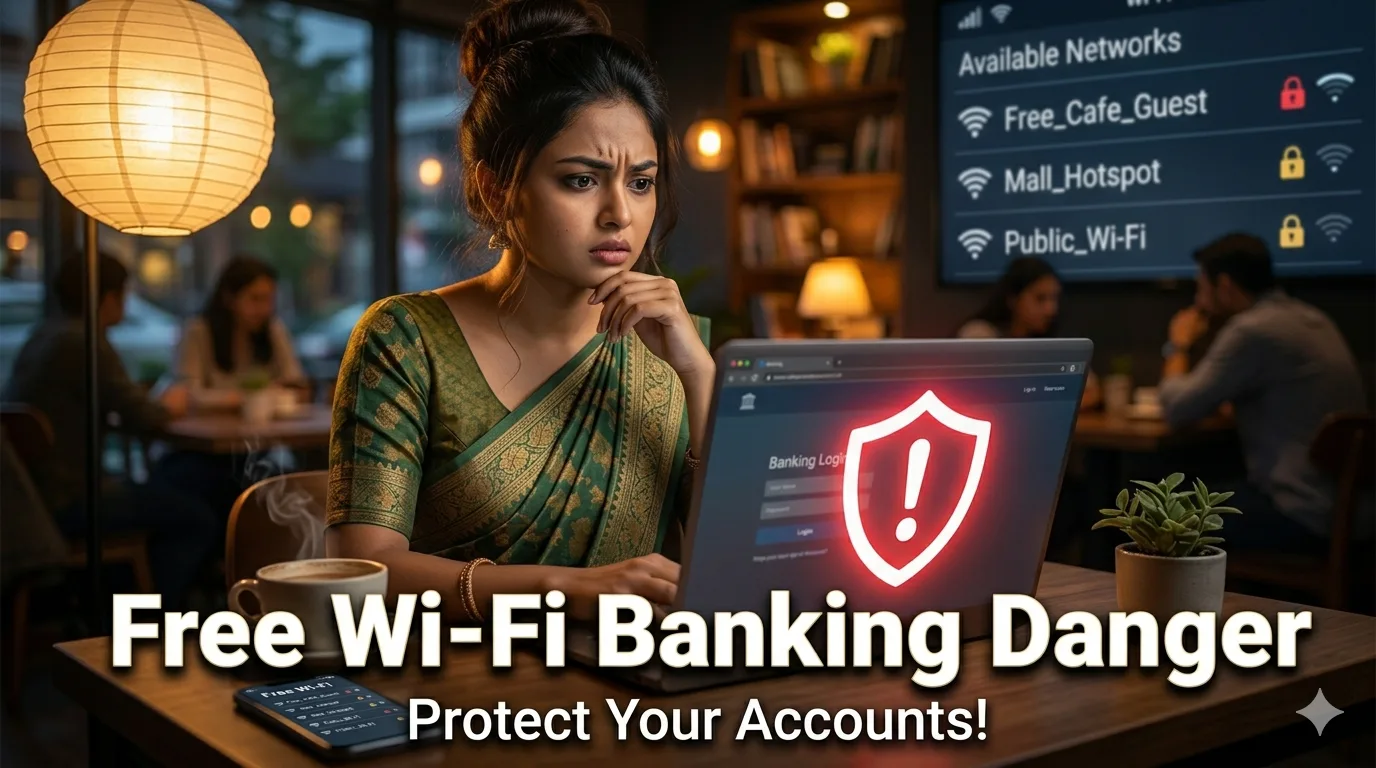
You're settled at your favorite coffee shop, laptop open, the aroma of freshly brewed coffee in the air. You need to check your bank balance, pay a bill, or transfer funds. The free Wi-Fi password is posted on the counter. It's convenient, it's free, and it feels harmless. But what if that simple act of checking your account on public Wi-Fi could expose your financial life to hackers, identity thieves, and fraudsters? The hidden cost of free Wi-Fi isn't measured in dollars spent on coffee—it's measured in the potential loss of your financial security, your personal data, and your peace of mind.
Every day, millions of people connect to unsecured public Wi-Fi networks at coffee shops, airports, hotels, and libraries to perform sensitive financial tasks. They assume that because a network is publicly available, it must be safe. They trust that their bank's app or website has sufficient security to protect them. Unfortunately, these assumptions create a dangerous false sense of security. Cybercriminals actively target public Wi-Fi networks because they know users let their guard down in these environments. The consequences can range from stolen login credentials and unauthorized transactions to full-scale identity theft that takes years to resolve.
This comprehensive guide reveals the real dangers of banking on free Wi-Fi, explains the technical methods hackers use to exploit public networks, and provides actionable, expert-approved strategies to protect your finances when you're away from home. You'll learn why "free" Wi-Fi often comes with a steep hidden price tag, discover which seemingly safe practices are actually risky, and get practical alternatives that let you manage your money securely from anywhere. Whether you're a remote worker, frequent traveler, or just someone who likes to multitask at a café, understanding these risks is the first step toward safeguarding your financial future.
Why Free Wi-Fi at Coffee Shops Is a Hacker's Dream
Public Wi-Fi networks are inherently vulnerable because they are designed for convenience, not security. Unlike your home network, which is protected by a password and encryption, most coffee shop Wi-Fi networks are open or use simple shared passwords that offer no real protection against determined attackers.
Key vulnerabilities of public Wi-Fi:
- No encryption: Data sent over unsecured networks travels in plain text, making it easy for anyone on the same network to intercept
- Shared network access: Everyone connected to the same Wi-Fi can potentially see traffic from other users
- Rogue access points: Hackers can create fake Wi-Fi networks with legitimate-sounding names to trick users into connecting
- Man-in-the-middle attacks: Attackers can position themselves between your device and the internet to intercept and alter communications
- Packet sniffing: Simple software tools allow hackers to capture data packets traveling across the network
Research from cybersecurity firms indicates that public Wi-Fi networks are among the most common attack vectors for financial fraud, with coffee shops being particularly high-risk due to their combination of high traffic, relaxed user behavior, and often minimal network security [[18]].
Real-World Attack Scenarios
Understanding how attacks happen makes the risk more tangible. Here are common scenarios that could unfold at your local coffee shop:
Scenario 1: The Fake Hotspot
A hacker sets up a rogue Wi-Fi access point named "Cafe_Free_WiFi" (very similar to the legitimate network). You connect without noticing the subtle difference. All your traffic now flows through the hacker's device. When you log into your bank, your username and password are captured instantly.
Scenario 2: The Packet Sniffer
You connect to the legitimate coffee shop Wi-Fi. A hacker sitting nearby runs packet-sniffing software that captures unencrypted data. If your banking session isn't fully encrypted (or if you visit an HTTP site by mistake), your login credentials are exposed.
Scenario 3: The Session Hijack
Even if your login is encrypted, hackers can steal your session cookie after you log in. This allows them to impersonate you and access your account without needing your password—a technique called session hijacking.
Scenario 4: The Malware Drop
Some attackers use public Wi-Fi to distribute malware. By exploiting vulnerabilities in your device's operating system or browser, they can install keyloggers or banking trojans that capture everything you type, including financial information.
These aren't theoretical threats. Cybersecurity reports document thousands of incidents where public Wi-Fi was the entry point for financial fraud. The convenience of free Wi-Fi comes with a very real cost.
The True Cost: What Happens When Your Banking Is Compromised
The consequences of banking on unsecured Wi-Fi extend far beyond a single unauthorized transaction. Understanding the full scope of potential damage underscores why prevention is critical.
Immediate Financial Losses
Unauthorized transactions: Hackers with access to your bank account can transfer funds, make purchases, or apply for credit in your name. While banks often reimburse victims of fraud, the process can take weeks or months, during which you may face overdraft fees, missed payments, and damaged credit.
Account takeover: Once hackers have your login credentials, they can change your password, lock you out of your account, and drain your funds before you even realize you've been compromised.
Long-Term Identity Theft
Personal data exposure: Banking apps and websites often store sensitive information: your full name, address, Social Security number, account numbers, and transaction history. This data is gold for identity thieves.
Credit damage: Identity thieves can open new credit accounts, take out loans, or file fraudulent tax returns in your name. Repairing damaged credit can take years and require extensive documentation.
Legal complications: If your compromised identity is used for criminal activity, you may face investigations, legal fees, and the burden of proving your innocence.
Emotional and Time Costs
Beyond financial loss, victims of Wi-Fi-based fraud report significant stress, anxiety, and time spent resolving issues. The average identity theft case requires 100-200 hours of work to resolve, according to the Federal Trade Commission [[22]]. This includes:
- Contacting banks and credit card companies
- Filing police reports and FTC complaints
- Disputing fraudulent charges
- Monitoring credit reports for years
- Replacing compromised documents
The hidden cost of free Wi-Fi isn't just monetary—it's measured in lost time, emotional distress, and the erosion of trust in digital systems.
Common Myths About Public Wi-Fi Safety—Debunked
Many people believe they're safe on public Wi-Fi because of misconceptions about how security works. Let's separate fact from fiction.
Myth: "If the website has HTTPS, I'm safe"
Reality: HTTPS encrypts data between your browser and the website, which is essential. However, it doesn't protect you from all public Wi-Fi threats. Hackers can still:
- Steal session cookies to hijack your logged-in session
- Use DNS spoofing to redirect you to fake websites that look like your bank
- Exploit vulnerabilities in your device or browser to install malware
HTTPS is necessary but not sufficient for complete security on public networks.
Myth: "I'm just checking my balance, not transferring money"
Reality: Even viewing your account exposes sensitive data. Your balance, transaction history, account numbers, and personal details are all valuable to hackers. Additionally, the act of logging in transmits your credentials, which can be intercepted regardless of what you do afterward.
Myth: "The coffee shop's Wi-Fi is password-protected, so it's secure"
Reality: A shared password (like one posted on the wall) provides no real security. Everyone who knows the password is on the same network, and the password itself doesn't encrypt traffic between users. It only prevents random strangers from connecting—not determined attackers.
Myth: "My bank's app is secure, so I don't need to worry"
Reality: While reputable banks invest heavily in app security, they can't protect you from threats on your device or network. If your phone is compromised by malware, or if a hacker intercepts your connection before it reaches the bank's servers, your credentials are at risk.
Myth: "I only use public Wi-Fi for a minute, so it's low risk"
Reality: Cyberattacks can happen in seconds. Packet sniffers capture data continuously; a hacker doesn't need to watch your screen—they just need to record the traffic. Even a brief banking session on an unsecured network can expose your information.
Expert-Approved Strategies to Bank Safely on the Go
You don't have to avoid banking outside your home—you just need to do it smartly. These evidence-based strategies let you manage your finances securely from anywhere.
Use a Reputable VPN (Virtual Private Network)
Why it works: A VPN encrypts all traffic between your device and the internet, creating a secure tunnel that protects your data even on unsecured networks.
How to use it effectively:
- Choose a reputable, paid VPN service (avoid free VPNs, which may sell your data)
- Connect to the VPN before opening your banking app or website
- Keep the VPN active throughout your banking session
- Disconnect when finished to conserve battery and bandwidth
Recommended features: Look for VPNs with strong encryption (AES-256), a no-logs policy, kill switch functionality, and servers in your region for optimal speed.
Use Your Mobile Data Instead of Wi-Fi
Why it works: Your cellular connection (4G/5G) is encrypted and significantly more secure than public Wi-Fi. Mobile networks use robust encryption protocols that are difficult for attackers to intercept.
When to use it: For any sensitive activity—banking, shopping, logging into accounts—switch off Wi-Fi and use your mobile data. The small amount of data used for banking transactions is negligible compared to the security benefit.
Pro tip: If you're concerned about data limits, most banking tasks use minimal data. Checking balances, paying bills, or transferring funds typically consumes less than 1MB per session.
Enable Two-Factor Authentication (2FA) Everywhere
Why it works: Even if hackers steal your password, 2FA requires a second verification step (like a code sent to your phone) that they likely can't access.
Best practices:
- Enable 2FA on all financial accounts (banking, credit cards, payment apps)
- Use an authenticator app (like Google Authenticator or Authy) instead of SMS when possible—SMS can be intercepted via SIM-swapping attacks
- Keep backup codes in a secure location in case you lose access to your authenticator
Important: 2FA is a critical safety net, but it doesn't make public Wi-Fi safe. Use it in combination with other security measures, not as a standalone solution.
Keep Devices and Apps Updated
Why it works: Software updates often include security patches that fix vulnerabilities hackers could exploit on public networks.
Update checklist:
- Enable automatic updates for your operating system (iOS, Android, Windows, macOS)
- Keep banking apps and browsers up to date
- Update antivirus or security software regularly
- Remove apps you no longer use to reduce your attack surface
Pro tip: Update your devices on a secure network (like your home Wi-Fi) before heading out. This ensures you're protected before you connect to public networks.
Verify Network Names Carefully
Why it works: Hackers often create fake Wi-Fi networks with names similar to legitimate ones to trick users.
How to verify:
- Ask staff for the exact network name and password
- Look for networks that require a password (though this isn't foolproof)
- Avoid networks with generic names like "Free Public Wi-Fi" or "Cafe Internet"
- If a network seems suspicious, don't connect—use mobile data instead
Red flag: If you see two networks with nearly identical names, one is likely a rogue access point. When in doubt, disconnect and use cellular data.
Log Out Completely After Banking
Why it works: Closing your browser tab doesn't always end your session. Hackers can hijack active sessions even after you think you've logged out.
Best practice:
- Always use the "Log Out" or "Sign Out" button in your banking app or website
- Clear your browser cache and cookies after sensitive sessions
- Close all tabs related to financial accounts
- Restart your browser if you plan to continue using public Wi-Fi for non-sensitive tasks
What to Do Instead: Secure Alternatives to Public Wi-Fi Banking
Sometimes the safest choice is to avoid banking on public networks altogether. These alternatives let you manage your finances without compromising security.
Wait Until You're on a Secure Network
When it works: If your banking task isn't urgent, wait until you're back on your home Wi-Fi or another trusted network.
How to plan:
- Check account balances and pay bills before leaving home
- Set reminders for time-sensitive payments so you don't forget
- Use your bank's mobile app to schedule transactions in advance
Benefit: Zero risk of public Wi-Fi exposure. This is the simplest and most secure option for non-urgent tasks.
Use Your Bank's Phone Banking Service
Why it's secure: Phone banking uses encrypted voice calls or automated systems that don't rely on internet connectivity.
How to use it:
- Save your bank's phone banking number in your contacts
- Use your mobile phone's cellular network to call (not Wi-Fi calling)
- Verify your identity using the bank's security questions or PIN
- Avoid discussing sensitive details in public spaces where others might overhear
Best for: Quick balance checks, transaction confirmations, or reporting lost cards when you can't access a secure internet connection.
Leverage Offline Banking Features
Why it works: Many banking apps allow limited functionality without an active internet connection.
Offline capabilities may include:
- Viewing recently cached account balances
- Reviewing recent transactions stored locally
- Preparing transfers to execute once you're back online
How to enable: Check your banking app's settings for offline mode or cache options. Note that you'll need an internet connection to execute transactions or view real-time data.
Use a Dedicated Mobile Hotspot
Why it's secure: A personal mobile hotspot creates a private, encrypted Wi-Fi network that only you control.
Setup options:
- Use your smartphone's built-in hotspot feature
- Invest in a dedicated portable hotspot device
- Secure your hotspot with a strong, unique password
- Disable the hotspot when not in use to conserve battery and reduce attack surface
Best for: Frequent travelers or remote workers who regularly need secure internet access outside the home.
Emergency Protocol: What to Do If You Banked on Unsafe Wi-Fi
If you've already performed banking tasks on public Wi-Fi, don't panic—but do take immediate action to minimize potential damage.
Immediate Steps to Take
- Change your passwords immediately: Update passwords for your bank account, email, and any other financial accounts. Use strong, unique passwords for each account.
- Enable or review 2FA settings: Ensure two-factor authentication is active on all sensitive accounts.
- Monitor account activity: Check your bank statements and transaction history for any unauthorized activity. Set up account alerts for transactions over a certain amount.
- Run a security scan: Use reputable antivirus software to scan your device for malware that may have been installed during the public Wi-Fi session.
- Contact your bank: If you notice suspicious activity, contact your bank immediately to report potential fraud and freeze your account if necessary.
Long-Term Protective Measures
Credit monitoring: Consider enrolling in a credit monitoring service to receive alerts about new accounts opened in your name or changes to your credit report.
Freeze your credit: If you suspect identity theft, place a fraud alert or credit freeze with major credit bureaus to prevent new accounts from being opened.
Document everything: Keep records of suspicious transactions, communications with your bank, and steps you've taken to secure your accounts. This documentation may be crucial if you need to dispute charges or file reports.
Building a Personal Cybersecurity Habit Stack
Protecting your finances on the go isn't about one-time fixes—it's about building sustainable habits that become second nature.
The 5-Minute Pre-Outing Security Check
Before leaving home, spend five minutes preparing your devices for secure public use:
- Update apps and operating systems
- Ensure your VPN is installed and ready to connect
- Confirm 2FA is enabled on financial accounts
- Clear unnecessary apps or browser tabs that could pose risks
- Charge your devices to avoid using public charging stations (which can also be compromised)
The Public Wi-Fi Decision Tree
Create a mental checklist for when you're tempted to use public Wi-Fi:
- Is this task sensitive? If yes (banking, shopping, logging in), use mobile data or wait.
- Is the network verified? If no, don't connect.
- Is my VPN active? If no, connect it before proceeding.
- Am I on the latest software? If no, postpone sensitive tasks until you can update.
This simple framework helps you make secure decisions quickly, even when you're in a hurry.
The Post-Session Security Ritual
After using public Wi-Fi for any purpose, develop a routine to minimize lingering risks:
- Log out of all accounts
- Clear browser cache and cookies
- Disconnect from the public network
- Run a quick security scan if you performed sensitive tasks
- Review account activity later that day
These small actions compound to create a robust personal security posture.
Frequently Asked Questions
Is it ever safe to use free Wi-Fi for banking?
It's never completely risk-free, but you can significantly reduce danger by using a reputable VPN, ensuring the website uses HTTPS, enabling two-factor authentication, and keeping your devices updated. However, the safest approach is to avoid banking on public Wi-Fi altogether and use mobile data or wait for a secure network.
How can I tell if a public Wi-Fi network is secure?
There's no guaranteed way to verify a public network's security. Look for networks that require a password (though shared passwords offer minimal protection), ask staff for the official network name, and avoid networks with generic or suspicious names. When in doubt, use your mobile data instead.
Does using incognito mode protect me on public Wi-Fi?
No. Incognito or private browsing only prevents your browser from saving history, cookies, and form data locally. It does not encrypt your internet traffic or protect you from hackers on the same network. Your data is still visible to anyone monitoring the network.
What's the safest way to check my bank balance while traveling?
The safest method is to use your bank's mobile app over your cellular data connection (not Wi-Fi). Ensure your phone's operating system and banking app are updated, and enable two-factor authentication for an extra layer of security. If you must use Wi-Fi, connect through a reputable VPN first.
Can hackers access my entire phone through public Wi-Fi?
While it's technically possible for sophisticated attackers to exploit vulnerabilities and gain broader access, most public Wi-Fi attacks target specific data like login credentials or session cookies. Keeping your device updated, using strong passwords, and avoiding suspicious links significantly reduces this risk.
Are hotel or airport Wi-Fi networks safer than coffee shop Wi-Fi?
Not necessarily. While some hotels and airports invest more in network security, many still use open or weakly protected networks. The same risks apply: packet sniffing, rogue access points, and man-in-the-middle attacks. Always assume public Wi-Fi is unsecured and take precautions regardless of location.
Conclusion: Your Financial Security Is Worth the Extra Effort
The convenience of free Wi-Fi is tempting, but the potential cost of banking on unsecured networks is far too high. A single moment of convenience could lead to financial loss, identity theft, and months of stressful recovery. The good news is that protecting yourself doesn't require technical expertise—just awareness and a few simple habits.
By using mobile data for sensitive tasks, investing in a reputable VPN, enabling two-factor authentication, and staying vigilant about network security, you can enjoy the flexibility of banking on the go without compromising your financial safety. Remember: the hidden cost of free Wi-Fi isn't just about money—it's about peace of mind. Every time you choose security over convenience, you're investing in your long-term financial well-being.
Start today. The next time you're at a coffee shop and need to check your account, pause. Ask yourself: "Is this worth the risk?" Then choose the secure option. Your future self will thank you.
Your money, your data, your peace of mind—they're all worth protecting. Don't let free Wi-Fi cost you more than you ever imagined.