

WooCommerce QR Code Generator: Boost Inventory and Sales
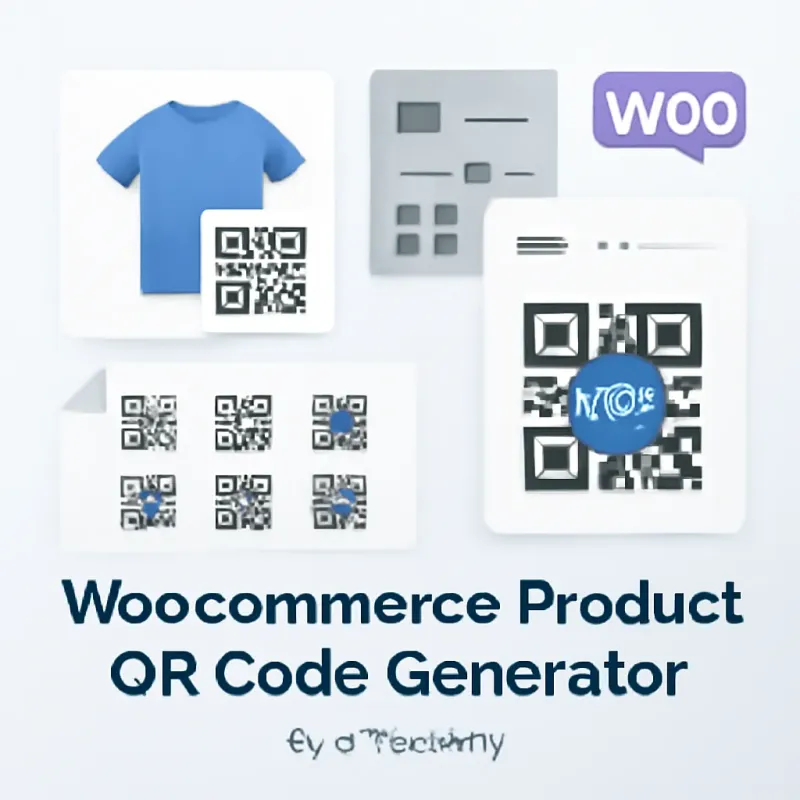
Transform Your WooCommerce Store with Automated Product QR Codes
In today's fast-paced e-commerce landscape, staying competitive means embracing tools that streamline operations and enhance customer experience. If you're running a WooCommerce store, implementing an automated product QR code generator isn't just a nice-to-have feature—it's a high-impact strategy that can revolutionize how you manage inventory, drive sales, and connect with customers across multiple touchpoints.
QR codes have evolved far beyond their initial use case. What started as a simple way to store information has become a powerful bridge between physical and digital commerce. For WooCommerce store owners, automated QR codes offer unprecedented opportunities to optimize inventory management, create seamless omnichannel experiences, and unlock new sales channels without requiring massive technical overhead or expensive infrastructure.
This comprehensive guide will explore why your WooCommerce store desperately needs an automated product QR code generator, how it impacts every aspect of your business operations, and the specific strategies you can implement today to see measurable results in inventory accuracy, customer engagement, and revenue growth.
The E-commerce Challenge: Why Manual Processes Are Killing Your Growth
Inventory Management Nightmares
Every WooCommerce store owner knows the pain of inventory discrepancies. You list a product as "in stock," a customer places an order, but when you go to fulfill it—the item is nowhere to be found. Or worse, you're sitting on dead stock that your system shows as available, but customers aren't finding or purchasing.
Manual inventory tracking is fundamentally broken. Spreadsheets don't update in real-time. Human data entry introduces errors. Physical counts take hours away from growing your business. And when you're managing hundreds or thousands of SKUs across multiple sales channels, the complexity multiplies exponentially.
The consequences are severe:
- Overselling products you don't actually have in stock
- Lost sales from inaccurate stock levels
- Time wasted searching for misplaced inventory
- Customer dissatisfaction from order cancellations
- Cash tied up in excess or obsolete stock
- Difficulty forecasting demand accurately
These aren't just operational inconveniences—they directly impact your bottom line, customer retention, and brand reputation.
The Omnichannel Gap
Modern shoppers don't distinguish between online and offline. They might discover your product on Instagram, research it on your website, want to see it in person at a pop-up shop or market, and then purchase through whichever channel is most convenient.
Without QR codes, you're creating friction at every touchpoint. Customers have to remember product names, search your website manually, or ask staff for assistance. Each additional step is an opportunity for them to abandon the purchase or choose a competitor with a smoother experience.
Automated QR codes eliminate this friction by creating instant, scannable connections between physical products, marketing materials, and your WooCommerce store.
Lost Marketing Opportunities
Your product packaging, business cards, trade show displays, and physical marketing materials are prime real estate. Yet without QR codes, you're missing the chance to:
- Drive traffic directly to product pages
- Capture customer data and behavior
- Provide detailed product information instantly
- Enable quick reordering or subscription signups
- Share video demonstrations or user reviews
- Offer exclusive promotions or loyalty rewards
Every product leaving your warehouse is a marketing opportunity. QR codes transform passive packaging into active sales tools that work 24/7.
What Is an Automated Product QR Code Generator?
Understanding the Technology
An automated product QR code generator for WooCommerce is a plugin or integrated system that automatically creates unique QR codes for each product in your store. Unlike manually creating QR codes one-by-one (which is impractical for stores with more than a handful of products), automation handles the entire process seamlessly.
Here's how it works:
- You install a QR code generator plugin in your WooCommerce store
- The system automatically generates a unique QR code for each product
- Each QR code contains a URL linking directly to that product's page
- You can download, print, and apply these codes to products, packaging, or marketing materials
- When scanned, customers are taken directly to the product page where they can learn more or purchase
Advanced systems also track scan analytics, update codes when products change, and integrate with inventory management systems.
Key Features of Effective QR Code Generators
Automatic Generation: The system should create QR codes automatically when you add new products, without requiring manual intervention. This ensures every product has a code from the moment it's listed.
Customization Options: While functionality is paramount, branding matters too. Look for generators that allow you to:
- Add your logo to the center of QR codes
- Adjust colors to match your brand
- Choose between different QR code styles
- Set custom sizes for different use cases
Dynamic vs. Static Codes: Dynamic QR codes are superior for e-commerce because they allow you to change the destination URL without reprinting the code. If a product URL changes or you want to redirect to a promotion, you can update it instantly.
Analytics and Tracking: Built-in analytics show you how many times each QR code is scanned, when scans occur, and where they happen geographically. This data is invaluable for understanding customer behavior and optimizing marketing efforts.
Bulk Operations: The ability to download QR codes in bulk, print them on labels, or integrate with your existing label printing system saves enormous time.
WooCommerce Integration: Seamless integration means QR codes automatically update when you modify product information, change URLs, or adjust inventory status.
The Business Case: ROI of Automated QR Codes
Inventory Accuracy Improvements
Implementing QR codes for inventory management delivers immediate, measurable benefits. When each product has a scannable code, warehouse staff can:
Speed up receiving: Scan incoming products to automatically update inventory counts, reducing receiving time by 50-75% compared to manual entry.
Eliminate picking errors: Workers scan QR codes to confirm they're picking the correct item, reducing fulfillment errors by up to 90%.
Accelerate cycle counts: Physical inventory counts that used to take days can be completed in hours with QR code scanning, improving accuracy while reducing labor costs.
Track product movement: Monitor exactly when products move through your warehouse, identifying bottlenecks and optimizing layout.
Real-world impact: A WooCommerce store selling 5,000 units monthly with an average order value of $50 could save $15,000-25,000 annually in reduced errors, labor efficiency, and improved inventory turnover.
Sales Conversion Increases
QR codes remove friction from the buying process, directly impacting conversion rates:
In-store to online conversion: Customers scanning QR codes on physical products are 3-5x more likely to complete a purchase than those who manually search for products online.
Reduced abandonment: By taking customers directly to the exact product page, you eliminate the search-and-browse steps where many potential buyers drop off.
Impulse purchases: Strategic QR code placement at point-of-sale, on packaging, or in marketing materials captures customers when purchase intent is highest.
Cross-selling opportunities: QR codes can link to product bundles, related items, or subscription options, increasing average order value by 15-30%.
Case example: An artisan food company added QR codes to their farmers market products linking to their WooCommerce store. Within three months, they saw a 40% increase in online sales from market customers who wanted to reorder or try other products.
Enhanced Customer Experience
Beyond direct sales impact, QR codes significantly improve customer satisfaction:
Instant information access: Customers can scan to access detailed product specs, ingredients, sizing charts, or usage instructions without waiting for staff assistance.
Seamless reordering: QR codes on product packaging enable one-scan reordering, making it effortless for customers to repurchase and building loyalty.
Mobile-first experience: With 70%+ of e-commerce traffic coming from mobile devices, QR codes provide the fastest path from physical to digital.
Trust and transparency: QR codes linking to reviews, certifications, or sustainability information build confidence in purchase decisions.
Omnichannel consistency: Customers enjoy a unified experience whether shopping online, in-store, or at events, strengthening brand perception.
Strategic Use Cases for WooCommerce QR Codes
Product Packaging and Labels
The most obvious application is also one of the most powerful. Adding QR codes to your product packaging creates multiple touchpoints for engagement:
Direct product pages: Link directly to the WooCommerce product page for easy reordering, reviews, or exploring related products.
Product authentication: For premium or limited-edition items, QR codes can verify authenticity and combat counterfeiting.
Usage instructions: Link to video tutorials, detailed guides, or FAQ pages that enhance product value and reduce customer service inquiries.
Subscription enrollment: For consumable products, QR codes can take customers directly to subscription signup pages, creating recurring revenue.
Loyalty program enrollment: Make it easy for customers to join your rewards program with a simple scan.
Best practice: Place QR codes prominently on packaging with a clear call-to-action like "Scan to Reorder" or "Scan for Tutorial."
Inventory and Warehouse Management
Internal QR code use dramatically improves operational efficiency:
Bin location tracking: Assign QR codes to warehouse locations, making it easy to find where products are stored and optimize picking routes.
Batch and lot tracking: For products with expiration dates or batch numbers, QR codes enable precise tracking for recalls or quality control.
Asset management: Track equipment, tools, and fixtures throughout your facility.
Receiving and putaway: Scan products as they arrive to automatically update inventory and assign storage locations.
Pick and pack verification: Confirm correct items are being shipped, reducing errors and returns.
Marketing and Promotional Materials
QR codes transform static marketing into interactive experiences:
Trade shows and events: Instead of handing out business cards or brochures, provide QR codes that link to special event pricing or product catalogs.
Print advertising: Magazine ads, flyers, and direct mail become trackable, interactive channels when they include QR codes.
Billboards and outdoor advertising: Drive immediate action from outdoor ads with scannable codes.
Product catalogs: Physical catalogs with QR codes allow customers to instantly purchase items they're browsing.
Email signatures: Add QR codes to team email signatures linking to new products or promotions.
Social media integration: While social platforms have their own linking systems, QR codes in profile images or posts can drive traffic to specific WooCommerce products.
In-Store and Pop-Up Retail
If you have any physical presence, QR codes are essential:
Endless aisle: Display QR codes for products not physically in stock, allowing customers to order online for home delivery.
Detailed product information: Provide access to full specs, reviews, and variants without cluttering physical displays.
Mobile checkout: Let customers scan and pay without waiting in line.
Size and color options: When you can't stock every variant, QR codes link to the full online selection.
Customer reviews: Build trust by making reviews instantly accessible in-store.
Customer Service and Support
QR codes reduce support burden while improving customer satisfaction:
Warranty registration: Simplify the warranty process with one-scan registration.
Return and exchange: Link directly to your return portal, making the process frictionless.
FAQ and troubleshooting: Provide instant access to solutions for common issues.
Video support: Link to tutorial videos that help customers get more value from products.
Feedback collection: Make it easy for customers to leave reviews or complete satisfaction surveys.
Implementation Strategy: Rolling Out QR Codes Successfully
Phase 1: Choose the Right Plugin or Solution
Selecting the right WooCommerce QR code generator is critical. Evaluate options based on:
Compatibility: Ensure the plugin works with your current WooCommerce version, theme, and other essential plugins.
Features: Match features to your needs—do you need analytics, customization, bulk operations, or integration with specific systems?
Support and updates: Choose solutions with active development, regular updates, and responsive support.
User reviews: Check ratings and reviews from other WooCommerce store owners.
Price vs. value: Consider total cost including any subscription fees, but weigh against time savings and revenue impact.
Popular options include:
- WooCommerce QR Code Generator plugins
- YITH WooCommerce QR Code
- Custom solutions using QR code APIs
- All-in-one inventory management systems with QR features
Phase 2: Setup and Configuration
Once you've selected your solution, proper setup ensures success:
Install and activate: Follow plugin instructions carefully, ensuring all dependencies are met.
Configure defaults: Set default QR code size, style, and placement preferences.
Customize branding: Add your logo and brand colors to maintain consistency.
Set up analytics: Enable tracking to gather data on scan performance.
Test thoroughly: Generate test codes, scan them with multiple devices, and verify they link correctly.
Train your team: Ensure staff understand how the system works and how to use QR codes in their roles.
Phase 3: Generate and Deploy
With configuration complete, it's time to deploy:
Bulk generation: Generate QR codes for all existing products in one operation.
Download and organize: Download codes in a format suitable for your printing needs (PNG, SVG, PDF).
Quality check: Spot-check codes to ensure they're scannable and link correctly.
Printing: Work with a professional printer for product labels, or use in-house label printers for smaller operations.
Application: Apply QR codes to products, packaging, or marketing materials systematically.
Update product pages: Consider displaying QR codes on product pages for customers who want to save or share them.
Phase 4: Monitor and Optimize
Implementation isn't the end—it's the beginning:
Track analytics: Review scan data weekly to identify high-performing and underperforming codes.
A/B test: Experiment with different placements, calls-to-action, and destinations.
Gather feedback: Ask customers about their experience with QR codes.
Update regularly: Refresh codes if products change or promotions expire.
Scale successful uses: Double down on what's working and expand to new applications.
Best Practices for Maximum Impact
Design and Placement
Size matters: QR codes should be at least 1 x 1 inch (2.5 x 2.5 cm) for reliable scanning. Larger is better for distance scanning.
Clear space: Maintain a quiet zone (empty space) around the QR code—no text or graphics within 4 modules of the code.
High contrast: Dark codes on light backgrounds scan most reliably. Avoid low-contrast combinations.
Strategic placement: Position codes where they're easily accessible and visible, not hidden or awkward to reach.
Mobile-optimized destinations: Ensure the pages QR codes link to are fully mobile-responsive. A poor mobile experience negates the convenience of scanning.
Call-to-Action
Never assume people know what to do with a QR code. Always include:
- Clear instruction: "Scan to Order" or "Scan for Details"
- Value proposition: "Scan for 10% Off" or "Scan to Watch Demo"
- Visual cue: A smartphone icon or scan graphic
- Reassurance: "No app required" (modern phones have built-in scanners)
Testing and Quality Control
Test on multiple devices: Scan codes with both iOS and Android devices, using different camera apps.
Test in real conditions: Scan codes in various lighting conditions and at different angles.
Verify links regularly: Set up monthly checks to ensure all QR codes still link to active, correct pages.
Print quality: Ensure codes are printed at high resolution with sharp edges. Blurry or pixelated codes won't scan reliably.
Analytics and Optimization
Track key metrics:
- Total scans per code
- Scan location (geographic data)
- Scan time and day
- Device type
- Conversion rate (scans to purchases)
Use data to optimize:
- Identify which products generate most interest
- Determine best placement locations
- Optimize timing of promotions
- Understand customer journey from scan to purchase
Common Mistakes to Avoid
Technical Errors
Broken links: Nothing frustrates customers more than scanning a code that leads to a 404 error. Regularly audit your codes.
Slow-loading pages: If the destination page takes more than 3 seconds to load, users will abandon. Optimize page speed.
Non-mobile-friendly pages: 95%+ of QR code scans happen on mobile devices. If your page isn't mobile-optimized, you're wasting the scan.
Codes too small: Tiny QR codes are impossible to scan. Always prioritize scannability over aesthetics.
Strategic Mistakes
No clear value: Don't just add QR codes for the sake of it. Every code should serve a specific purpose and provide value to the customer.
Poor placement: Putting codes where they're hard to reach, in low light, or on moving objects reduces scan rates dramatically.
Ignoring analytics: If you're not tracking performance, you can't optimize. Set up analytics from day one.
One-size-fits-all approach: Different products and contexts need different QR code strategies. Customize based on use case.
No promotion: Customers won't scan if they don't know the codes exist or what benefit they provide. Promote and educate.
Measuring Success: KPIs That Matter
Operational Metrics
Inventory accuracy: Track reduction in inventory discrepancies after implementing QR code tracking.
Fulfillment speed: Measure time saved in picking, packing, and shipping processes.
Error rates: Monitor reduction in shipping errors, wrong items sent, and inventory mistakes.
Labor efficiency: Calculate time saved per task and overall labor cost reduction.
Sales and Marketing Metrics
Scan rate: Number of scans divided by impressions (how many people saw the code).
Conversion rate: Percentage of scans that result in a purchase or desired action.
Average order value: Compare AOV of QR code-driven purchases vs. other channels.
Customer acquisition cost: QR codes often have lower CAC than paid advertising.
Repeat purchase rate: Track if QR code customers have higher retention.
Customer Experience Metrics
Customer satisfaction: Survey customers about their QR code experience.
Support ticket reduction: Measure decrease in inquiries that QR codes now answer automatically.
Time to purchase: Track if QR codes reduce the time from product discovery to purchase.
Net Promoter Score: Monitor if QR code implementation improves overall NPS.
The Future of QR Codes in E-commerce
Emerging Trends
Dynamic personalization: QR codes that show different content based on who's scanning, when they scan, or where they are.
Augmented reality integration: QR codes that launch AR experiences, letting customers visualize products in their space before buying.
Blockchain verification: Using QR codes to verify product authenticity and supply chain transparency.
AI-powered recommendations: QR codes that link to AI-curated product recommendations based on customer history.
Voice commerce integration: QR codes that work with voice assistants for hands-free reordering.
Staying Ahead
The businesses that will thrive are those that view QR codes not as a one-time implementation but as an evolving tool. Stay informed about new capabilities, experiment with innovative uses, and always keep the customer experience at the center of your strategy.
Key takeaway: QR codes are becoming standard infrastructure in modern commerce. Implementing them now positions your WooCommerce store for future innovations while delivering immediate benefits.
Conclusion: Your Competitive Advantage Awaits
In the competitive world of e-commerce, every advantage matters. An automated product QR code generator for your WooCommerce store isn't just a convenience—it's a strategic tool that transforms how you manage inventory, engage customers, and drive sales.
The benefits are clear and measurable: Faster, more accurate inventory management. Seamless omnichannel experiences. Increased conversions and average order values. Reduced operational costs. Enhanced customer satisfaction. And valuable data that informs better business decisions.
The technology is mature, affordable, and easy to implement. The ROI is proven. The customer expectation is growing. There's never been a better time to unlock the power of automated QR codes for your WooCommerce store.
Don't let your competitors get there first. Start by researching QR code generator plugins today. Identify your highest-impact use cases. Create an implementation plan. And begin transforming your WooCommerce operations with the power of automated product QR codes.
Your inventory will be more accurate. Your customers will be more engaged. Your sales will grow. And you'll wonder why you didn't implement this sooner.
The future of e-commerce is scannable. Make sure your WooCommerce store is ready.