

Dhaka Metro Rail Phase 2: Essential Mobile Apps Guide 2026
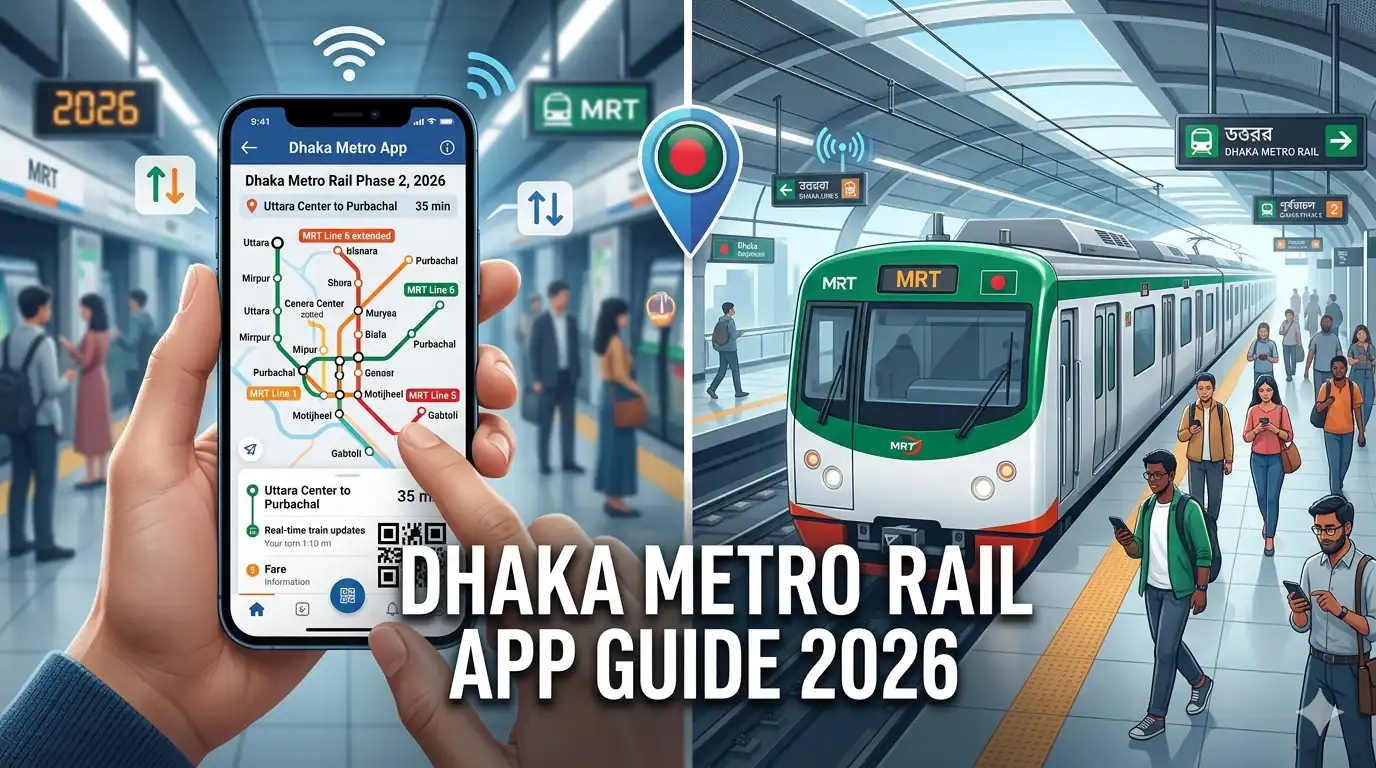
How to Use 2026 Mobile Apps to Navigate the Dhaka Metro Rail Phase 2
Dhaka's transportation landscape is undergoing a revolutionary transformation with the expansion of the Metro Rail system into Phase 2, and the key to mastering this modern transit network lies in your smartphone. As Bangladesh's capital continues to grapple with some of the world's worst traffic congestion, the Metro Rail system offers a lifeline—a fast, reliable, and efficient way to traverse the city. But to truly harness the power of this infrastructure, you need more than just a metro card; you need the right mobile applications.
The year 2026 marks a pivotal moment for Dhaka's Metro Rail system. With Phase 2 extensions connecting new areas and integrating advanced digital features, navigating the metro has become both simpler and more sophisticated. Mobile apps have evolved from basic route finders to comprehensive travel companions offering real-time updates, digital ticketing, crowd predictions, seamless payment integration, and personalized journey planning. Whether you're a daily commuter, a occasional traveler, or a visitor to Dhaka, understanding how to leverage these digital tools can transform your metro experience from confusing to effortless.
This comprehensive guide explores the essential mobile applications for navigating Dhaka Metro Rail Phase 2 in 2026. We'll examine official transit apps, third-party navigation tools, digital payment platforms, and integrated mobility solutions. You'll learn how to plan optimal routes, purchase tickets digitally, track trains in real-time, calculate fares, access station information, and troubleshoot common issues. By mastering these apps, you'll not only save time and money but also experience the Metro Rail system as it was designed to be used—efficiently, conveniently, and confidently.
Understanding Dhaka Metro Rail Phase 2: The Expanded Network
Before diving into the apps, it's crucial to understand what Phase 2 of the Dhaka Metro Rail entails. The initial MRT Line 6, running from Uttara North to Motijheel, revolutionized north-south connectivity in Dhaka. Phase 2 represents the ambitious expansion of this network, extending reach to underserved areas and creating a more comprehensive rapid transit system.
Phase 2 Expansion Highlights:
- Extended Routes: Phase 2 includes extensions of existing lines and introduction of new corridors connecting key commercial, residential, and industrial zones
- New Stations: Over 20 additional stations integrated into the network, expanding coverage to areas like Kamalapur, Sayedabad, and beyond
- Interchange Facilities: Strategic interchange stations allowing seamless transfers between different metro lines and integration with other transit modes
- Enhanced Technology: Advanced signaling systems, real-time passenger information displays, and improved accessibility features
- Increased Capacity: More frequent service and longer trains to accommodate growing ridership
This expanded network makes navigation more complex but also more rewarding. The right mobile apps become essential tools for understanding route options, transfer points, travel times, and fare structures across this growing system.
Why Mobile Apps Matter for Phase 2:
The complexity of an expanded metro system demands digital assistance. Unlike the simpler Line 6, Phase 2 requires commuters to make informed decisions about:
- Which route offers the fastest journey considering transfers
- Where to interchange between lines efficiently
- Real-time train schedules and potential delays
- Fare calculations across multiple zones
- Station facilities and accessibility options
- Integration with buses, ride-sharing, and other transport modes
Mobile apps synthesize this complexity into intuitive interfaces, providing answers instantly and adapting to changing conditions in real-time.
Essential Mobile Apps for Dhaka Metro Rail Navigation
What are the best mobile apps for navigating Dhaka Metro Rail Phase 2 in 2026?
The best mobile apps for navigating Dhaka Metro Rail Phase 2 in 2026 include the official Dhaka Metro Rail app, Google Maps with transit integration, Moovit for comprehensive public transport planning, local apps like Shohoz and Pathao for integrated mobility, and digital payment platforms like bKash and Nagad for contactless ticketing. Each app offers unique features—from real-time train tracking and route optimization to digital ticketing and fare calculation—enabling commuters to plan, pay for, and execute seamless metro journeys across the expanded Phase 2 network.
1. Official Dhaka Metro Rail App: The Comprehensive Solution
The official Dhaka Metro Rail app, developed by the Dhaka Mass Transit Company Limited (DMTCL), serves as the authoritative source for all metro-related information. In 2026, this app has evolved into a sophisticated platform offering comprehensive features for Phase 2 navigation.
Key Features:
- Interactive Route Map: Detailed, zoomable map showing all Phase 2 stations, interchange points, and connections to other transit modes. The map includes station facilities, exit information, and nearby landmarks.
- Real-Time Train Tracking: Live updates on train positions, arrival times, and service frequency. The app shows exactly when the next train will arrive at your station, reducing uncertainty and wait times.
- Digital Ticketing: Purchase and store metro tickets directly in the app using QR codes. No need to queue at ticket counters—simply buy, scan, and go.
- Fare Calculator: Instant fare estimation based on origin and destination stations across the entire Phase 2 network, including discounts for students, seniors, and frequent travelers.
- Journey Planner: Input your starting point and destination to receive optimized route suggestions, including transfer points, estimated travel time, and total cost.
- Service Alerts: Push notifications about service disruptions, maintenance schedules, special operating hours, and emergency updates.
- Station Information: Detailed information about each station including facilities (elevators, restrooms, parking), accessibility features, nearby attractions, and connecting transport options.
- Multi-Language Support: Interface available in both Bengali and English, making it accessible to locals and international visitors alike.
How to Use the Official App:
- Download and Setup: Available on both Google Play Store and Apple App Store. Create an account using your mobile number or email for personalized features.
- Plan Your Journey: Use the journey planner by entering your current location and destination. The app will suggest multiple route options with details on transfers and timing.
- Purchase Tickets: Select "Buy Ticket," choose your route, and pay using integrated payment methods (bKash, Nagad, credit/debit cards). The QR code ticket is stored in the app.
- Track Trains: Enable location services to see real-time train positions and arrival predictions for your selected station.
- Access Support: Use the in-app chat or helpline feature for assistance with ticketing issues, lost items, or general inquiries.
Advantages: Official data accuracy, comprehensive features, direct customer support, integration with metro systems, regular updates aligned with network changes.
Limitations: Requires internet connectivity, may experience high traffic during peak hours, limited offline functionality.
2. Google Maps: Universal Navigation with Metro Integration
Google Maps remains one of the most widely used navigation tools globally, and in 2026, it offers robust integration with Dhaka Metro Rail Phase 2, making it an excellent choice for both locals and visitors.
Key Features:
- Transit Directions: Select the transit icon to receive metro-inclusive route planning. Google Maps combines metro travel with walking, buses, and ride-sharing for door-to-door navigation.
- Real-Time Departures: Live train schedules showing exact departure times, platform information, and service frequency for all Phase 2 stations.
- Trip Planning: Multi-modal journey planning that automatically calculates the fastest or most economical route combining metro with other transport options.
- Offline Maps: Download maps of Dhaka for offline use, ensuring navigation capability even without internet connectivity—crucial in areas with spotty coverage.
- Live Traffic Integration: See how metro travel compares to road transport in real-time, helping you make informed decisions about your commute.
- Popular Times: View crowd predictions for different stations and times, allowing you to plan travel during less congested periods.
- Accessibility Information: Details about wheelchair access, elevator availability, and other accessibility features at stations.
- Saved Places: Mark home, work, and frequently visited stations for quick access and faster route planning.
How to Use Google Maps for Metro Navigation:
- Enable Location Services: Allow Google Maps to access your location for accurate route planning.
- Select Transit Mode: Tap the transit icon (train symbol) when searching for directions.
- Enter Destination: Input your destination address or select from saved places.
- Review Route Options: Google Maps will show multiple route options with metro segments highlighted. Each option displays total time, walking distance, number of transfers, and fare estimates.
- Follow Step-by-Step Navigation: Once you start your journey, the app provides turn-by-turn directions, including when to board trains, where to transfer, and which exit to use.
- Save Routes: For regular commutes, save your preferred route for quick access.
Advantages: Familiar interface, multi-modal integration, offline capability, extensive landmark database, regular updates, works internationally.
Limitations: May not have real-time metro data as current as official app, limited ticketing integration, occasional inaccuracies in new Phase 2 stations during initial rollout.
3. Moovit: Comprehensive Public Transport Intelligence
Moovit has established itself as a leading public transit app worldwide, and its 2026 version offers specialized features for Dhaka Metro Rail Phase 2, making it particularly valuable for daily commuters.
Key Features:
- Live Directions: Real-time, step-by-step navigation that alerts you when to get off trains, where to transfer, and which exit to take—eliminating the anxiety of missing stops.
- Crowd-Sourced Updates: Real-time information from other users about train delays, overcrowding, service disruptions, and station conditions.
- Get Off Alerts: Notifications that wake you or alert you before your stop, perfect for tired commuters or those unfamiliar with the route.
- Service Status: Comprehensive overview of all metro lines showing operational status, delays, and planned maintenance.
- Favorite Lines and Stations: Quick access to your regular routes and stations with one tap.
- First and Last Trip: Information about first and last train times from any station, essential for early morning or late-night travel.
- Accessibility Mode: Routes optimized for wheelchair users and those with mobility challenges, showing elevator locations and accessible pathways.
- Integration with Other Transit: Seamless combination of metro with buses, ride-sharing, and bike-sharing for complete journey planning.
How to Use Moovit for Metro Travel:
- Set Your Location: Allow Moovit to detect your current location or manually enter your starting point.
- Search Destination: Enter where you want to go using address, landmark, or saved location.
- Choose Route: Review suggested routes showing metro segments, walking portions, and total journey time.
- Start Navigation: Tap "Go" to begin live navigation with real-time updates and alerts.
- Enable Notifications: Allow push notifications to receive alerts about service changes and get-off reminders.
- Contribute: Report issues, crowding levels, or cleanliness to help other users.
Advantages: Excellent real-time updates, user-friendly interface, crowd-sourced information, get-off alerts, accessibility features, works across multiple cities.
Limitations: Requires consistent internet connection, no integrated ticketing, occasional reliance on user reports which may be delayed.
4. Shohoz: Integrated Bangladeshi Mobility Platform
Shohoz, a homegrown Bangladeshi platform, has expanded beyond bus ticketing to become a comprehensive mobility solution including Dhaka Metro Rail integration, making it particularly relevant for local users.
Key Features:
- Metro Ticket Booking: Purchase metro tickets directly through the app with QR code generation for contactless entry.
- Multi-Modal Integration: Combine metro travel with bus bookings, ride-sharing, and other transport options in a single platform.
- Local Payment Methods: Seamless integration with bKash, Nagad, Rocket, and local bank cards for convenient payments.
- Bengali Language Interface: Fully localized interface in Bengali, making it accessible to users less comfortable with English.
- Promotional Offers: Regular discounts and cashback offers on metro tickets and other transport services.
- Route Information: Basic route planning and station information for Phase 2 metro lines.
- Travel History: Track your metro usage, expenses, and travel patterns for personal record-keeping or expense reporting.
How to Use Shohoz for Metro Travel:
- Download and Register: Install the app and create an account using your Bangladeshi mobile number.
- Navigate to Metro Section: Select "Metro Rail" from the home screen options.
- Select Journey Details: Choose origin and destination stations from the Phase 2 network.
- Purchase Ticket: Select number of tickets, choose payment method, and complete transaction.
- Access QR Code: Your digital ticket with QR code appears in "My Tickets" section.
- Scan and Travel: Present QR code at metro station gates for entry and exit.
Advantages: Local payment integration, Bengali language support, promotional discounts, multi-modal platform, familiar to Bangladeshi users.
Limitations: Limited advanced navigation features compared to dedicated transit apps, primarily focused on ticketing rather than comprehensive journey planning.
5. Pathao: Ride-Sharing Integration with Metro
While primarily known as a ride-sharing platform, Pathao's 2026 app includes features that integrate seamlessly with Dhaka Metro Rail, making it valuable for first-mile and last-mile connectivity.
Key Features:
- Metro Station Destinations: Quick selection of metro stations as ride destinations with optimized drop-off points near station entrances.
- Multi-Modal Trip Planning: Plan journeys combining Pathao rides with metro travel, showing total cost and time.
- Station Parking Information: Details about motorcycle and bicycle parking availability at metro stations for Pathao bike users.
- Scheduled Rides: Book rides in advance to ensure timely arrival at metro stations for important appointments.
- Shared Rides: Cost-effective shared ride options to and from metro stations.
- Payment Integration: Use Pathao wallet or integrated payment methods for seamless transactions.
How to Use Pathao with Metro:
- Plan Your Journey: Determine your metro route using a transit app.
- Book to Station: Use Pathao to reach your departure metro station, selecting the closest entrance.
- Complete Metro Journey: Travel via metro using your preferred ticketing method.
- Book from Station: Upon arrival, use Pathao for last-mile connectivity to your final destination.
- Save Frequent Routes: Save common metro station destinations for quick booking.
Advantages: Excellent for first/last mile connectivity, widely available, competitive pricing, familiar platform for Bangladeshis.
Limitations: Not a dedicated transit app, limited metro-specific features, subject to traffic delays.
Digital Payment and Ticketing Apps
Beyond navigation, modern metro travel requires efficient payment solutions. In 2026, several apps facilitate contactless, cashless metro ticketing for Phase 2.
bKash: Bangladesh's Leading Mobile Financial Service
bKash has integrated with the Dhaka Metro Rail system, allowing users to purchase tickets and recharge metro cards directly through the app.
How to Use bKash for Metro:
- Open bKash App: Navigate to the "Transport" or "Metro Rail" section.
- Select Ticket Purchase: Choose between single journey tickets or card recharge.
- Enter Details: Select stations or enter recharge amount.
- Complete Payment: Enter PIN to authorize transaction.
- Receive Confirmation: QR code or reference number sent for metro access.
Advantages: Widely used in Bangladesh, extensive agent network for cash-in, secure transactions, promotional offers.
Nagad: Alternative Mobile Payment Solution
Nagad offers similar metro ticketing capabilities with competitive fees and regular cashback promotions.
Features:
- Direct metro ticket purchase
- Metro card recharge
- Transaction history tracking
- Integration with government services
Apple Pay and Google Pay: International Payment Options
For international visitors and users with compatible devices, these platforms offer contactless payment at metro gates where NFC-enabled systems are available.
Advanced Features for Efficient Metro Travel
Modern metro apps in 2026 offer sophisticated features that go beyond basic navigation and ticketing.
Real-Time Crowd Prediction
Apps now use historical data and real-time inputs to predict crowd levels at different stations and times. This feature helps you:
- Avoid peak congestion by adjusting travel times
- Choose less crowded train cars
- Plan for additional time during busy periods
- Make informed decisions about alternative routes
How to Use: Check the "Crowd Level" indicator in apps like Moovit or the official metro app before departing. Green indicates light crowds, yellow moderate, and red heavy congestion.
Accessibility Features
For passengers with disabilities or mobility challenges, apps provide crucial accessibility information:
- Elevator locations and operational status
- Wheelchair-accessible routes through stations
- Tactile path information for visually impaired users
- Audio announcements and visual displays
- Priority seating information
How to Use: Enable "Accessibility Mode" in apps like Google Maps or Moovit to receive routes optimized for accessibility needs.
Multi-Language Support
With Dhaka attracting international business travelers and tourists, metro apps now offer comprehensive multi-language support including Bengali, English, Hindi, Arabic, and Chinese.
How to Use: Access app settings to change language preferences. Most apps remember your selection for future use.
Offline Functionality
Recognizing connectivity challenges, leading apps now offer offline features:
- Downloadable route maps
- Stored ticket QR codes accessible without internet
- Offline station information and facility details
- Cached journey plans
How to Use: Before traveling, download Dhaka metro maps and save important tickets while connected to WiFi. Enable offline mode in app settings.
Troubleshooting Common App Issues
Even the best apps encounter issues. Here's how to resolve common problems:
Problem: App Won't Load or Crashes
Solutions:
- Force close and restart the app
- Check for app updates in your device's app store
- Clear app cache in device settings
- Uninstall and reinstall if problems persist
- Ensure your device meets minimum OS requirements
Problem: GPS Location Inaccurate
Solutions:
- Enable high-accuracy location mode in device settings
- Calibrate GPS by moving in a figure-8 pattern
- Ensure location permissions are granted to the app
- Move to an open area away from tall buildings
- Toggle airplane mode on and off to reset connections
Problem: Digital Ticket QR Code Not Scanning
Solutions:
- Increase screen brightness to maximum
- Ensure QR code is fully visible and not zoomed
- Clean your screen of smudges or dirt
- Try screenshotting the QR code and displaying the image
- Have backup payment method ready for manual ticket purchase
- Contact metro staff for assistance
Problem: Real-Time Data Not Updating
Solutions:
- Check internet connectivity
- Refresh the app by pulling down on the screen
- Switch between WiFi and mobile data
- Verify the app has background data permissions
- Check if there's a service outage announced by metro authorities
Privacy and Security Considerations
Using mobile apps for metro travel involves sharing location data and payment information. Protect yourself with these practices:
Data Privacy:
- Review app permissions carefully—only grant necessary access
- Use apps with clear privacy policies
- Disable location tracking when not actively navigating
- Regularly review and delete stored journey history if privacy is a concern
Payment Security:
- Use reputable payment apps with encryption
- Enable two-factor authentication on financial apps
- Never share PINs or passwords
- Monitor transaction history regularly
- Use secure WiFi networks or mobile data for payments
Account Protection:
- Use strong, unique passwords for app accounts
- Enable biometric authentication where available
- Log out from shared devices
- Report lost phones immediately to freeze accounts
Frequently Asked Questions
Do I need internet connection to use metro apps?
Most features require internet connectivity, particularly real-time tracking, ticket purchasing, and route planning. However, many apps offer offline functionality for saved maps, stored tickets, and basic route information. Download essential data while connected to WiFi before traveling to areas with poor connectivity.
Which app is best for first-time metro users?
For first-time users, Google Maps offers the most intuitive interface with clear visual guidance and multi-modal integration. The official Dhaka Metro Rail app provides the most accurate metro-specific information. Consider using both—Google Maps for overall journey planning and the official app for metro-specific details and ticketing.
Can I use these apps without a Bangladeshi phone number?
Most navigation apps like Google Maps and Moovit don't require phone numbers. However, apps with payment features like Shohoz, bKash, or the official metro app may require Bangladeshi numbers for registration. International visitors can use navigation apps freely and purchase physical tickets at stations if digital ticketing requires local numbers.
How accurate is real-time train tracking?
Real-time tracking accuracy varies by app and network conditions. The official Dhaka Metro Rail app typically provides the most accurate data with delays of less than 1-2 minutes. Third-party apps may have slight delays of 3-5 minutes. Always allow buffer time for important journeys.
Are digital tickets cheaper than physical tickets?
Digital tickets are generally priced the same as physical tickets. However, some apps like Shohoz and bKash offer promotional discounts, cashback, or loyalty points that can reduce effective costs. Regular commuters may benefit from digital monthly passes or recharge cards offering better value than single-journey tickets.
Can I get refunds for unused digital tickets?
Refund policies vary by platform. Generally, unused digital tickets can be refunded through the app within a specified period (usually 24-48 hours). Recharged amounts on metro cards typically don't expire and can be used for future travel. Check specific app terms and conditions for detailed refund policies.
Conclusion: Mastering Metro Travel Through Technology
The expansion of Dhaka Metro Rail into Phase 2 represents more than just additional tracks and stations—it signifies a fundamental shift toward smart, efficient urban mobility. The mobile apps discussed in this guide are your keys to unlocking the full potential of this modern transit system.
Whether you choose the comprehensive official Dhaka Metro Rail app, the universally familiar Google Maps, the crowd-sourced intelligence of Moovit, or the locally integrated Shohoz platform, each tool offers unique advantages for navigating the metro network. The key is understanding which app serves which purpose: use navigation apps for route planning, official apps for accurate schedules and ticketing, payment apps for seamless transactions, and ride-sharing apps for first and last-mile connectivity.
As you become proficient with these apps, you'll discover that metro travel in Dhaka transforms from a potentially stressful experience into a predictable, efficient, and even enjoyable part of your day. You'll save time through optimized routes, money through digital discounts, and mental energy through real-time information that eliminates uncertainty.
The future of urban mobility is here, and it's in your pocket. Embrace these digital tools, stay informed about app updates and new features, and become part of Dhaka's smart transportation revolution. The Metro Rail Phase 2 system is designed to move the city forward—these apps ensure you move with it, efficiently and confidently.
Your journey through Dhaka's evolving landscape starts with a single tap. Download these apps, explore their features, and experience the convenience of modern metro travel in 2026 and beyond.


0 Comments